The Video Wall Plus runs cross-screen and enables advertisers to launch highly custom video display campaigns. Video Wall Plus offers more features and customization than the standard Video Wall, including options like animations, character sections, galleries and logo morphs on desktop, in addition to a supporting static unit below the fold. Mobile web and app feature a tall video display banner above the fold, and a large custom unit below the fold.
Tuyên bố về quyền riêng tư
Không nhập bất kỳ dữ liệu nhạy cảm hoặc cá nhân nào vào trường tìm kiếm (ví dụ: tên, địa chỉ, thông tin tài chính).
Video Wall Plus
Demo
Desktop
Desktop - Intro Video
- On first impression, a large intro video plays without sound across the site background and resolves to the expanded state of the Video Wall Plus.
- During the intro video, users can click the primary CTA, or click to skip the intro, which resolves to the expanded state of the Video Wall.
Desktop - Expanded State
- Includes the main trailer video, title treatment or logo, date messaging, character art, main CTA and other custom elements.
- Users can engage with custom elements, which will trigger changes to the creative that can be explored by the user.
- The intro video will auto-play without sound within the video frame. If a user clicks on the video, it will play the full-length video with sound.
- Users can click the “collapse” button to switch to the collapse state of the ad.
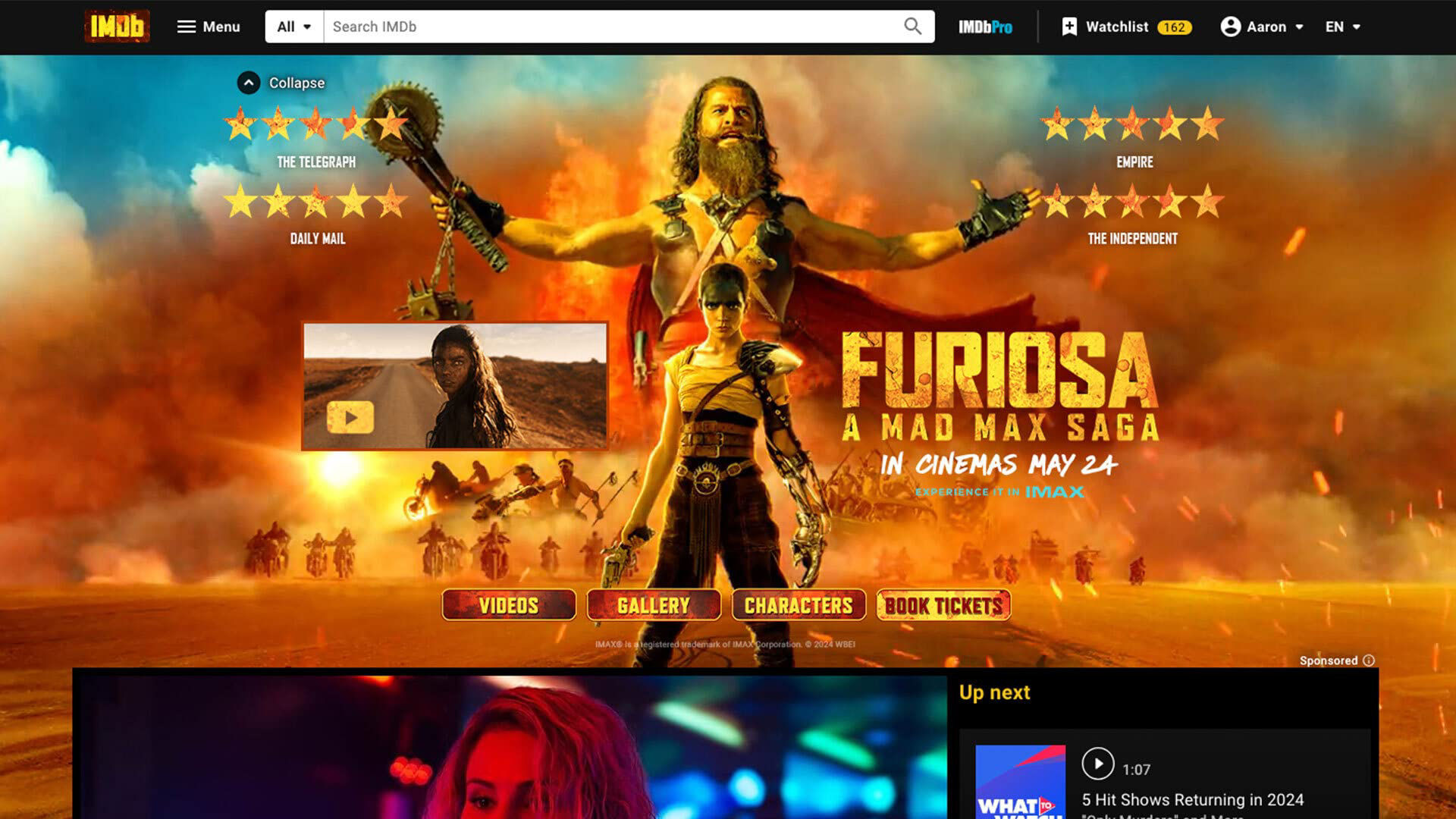
Desktop - Expanded State
Desktop - Collapsed State
- On subsequent impressions, the ad will render in the collapsed state that can be expanded by the user. Creative elements can be rearranged to better fit the space.
- There are no videos or custom elements in the collapsed state.
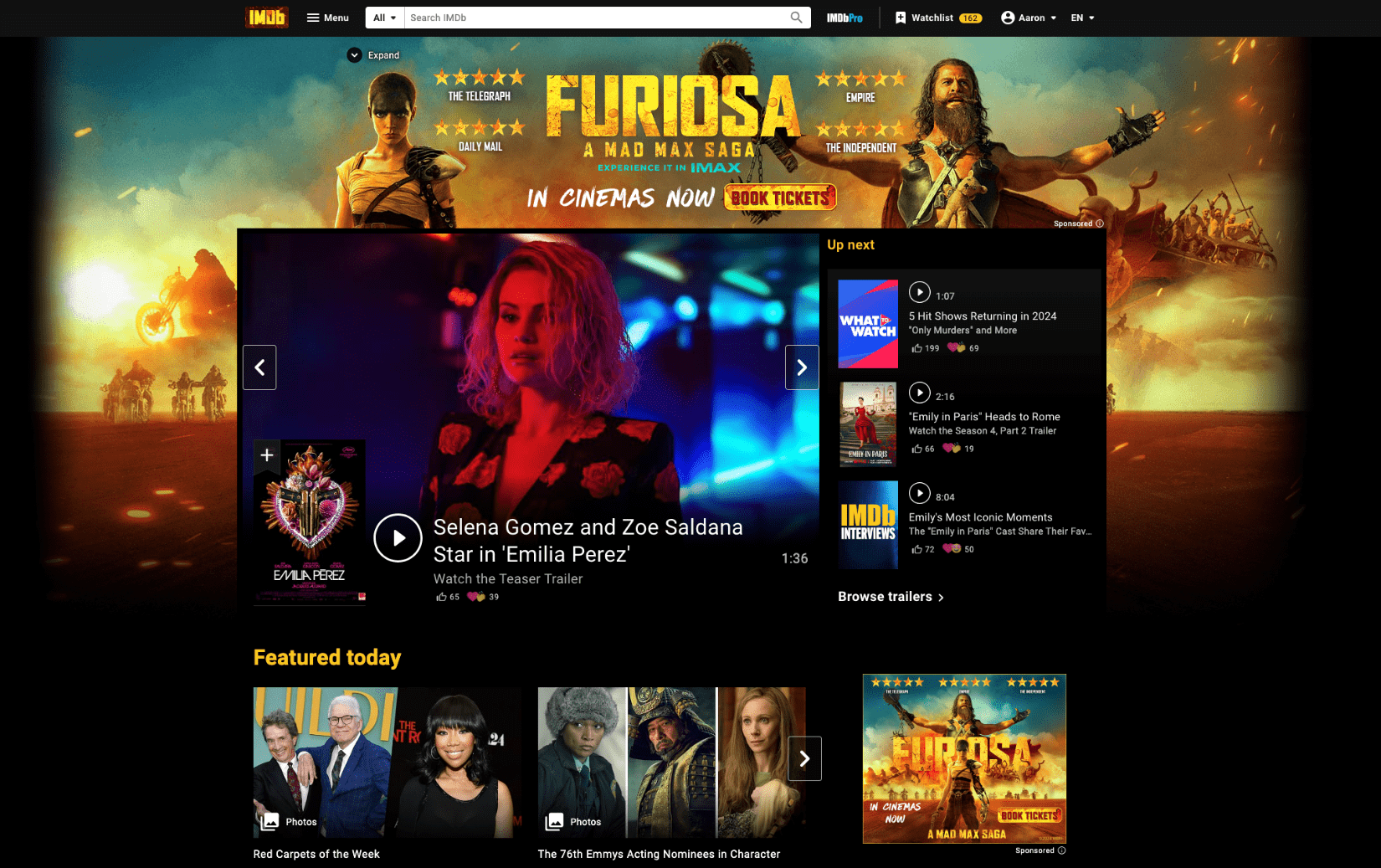
Desktop - Collapsed State
Desktop - Below the Fold
- Static 300x250
Custom IMDb Logo Morph - Desktop
With Video Wall Plus, advertisers can customize the IMDb trademark logo to fit a movie or TV show’s IP style. Upon initial load and on hover, the logo will morph to the custom logo for 5-10 sec, and then morph back to the standard logo. Custom logo morphs for Video Walls require approval on a case-by-case basis. We encourage all interested advertising parties to review our logo and trademark usage guidelines and to seek our permission before using any of our logos or trademarks in any capacity.
IMDb Logo Morph
Mobile/Apps
Mobile - Tall Banner
- Lives at the top of IMDb on mobile web, iOS, and Android pages.
- The 6 second video will auto-play without sound.
- Tapping the video will launch the full-length video in the full-screen player.
- Tapping anywhere on the banner outside of the video frame clicks through to the CTA.
- On all pages*, the top banner will stick if the user immediately scrolls down the page.
- *Top banner does not stick on app homepage.
Mobile - Secondary Banner
- Lives below the fold on IMDb on mobile web, iOS, and Android pages.
- Design and function varies based on assets provided and advertiser KPIs. This unit can feature video and/or other custom elements, such as character galleries, and always includes a primary CTA.
- Tapping the video (if present) will launch the full-length video in the full-screen player.
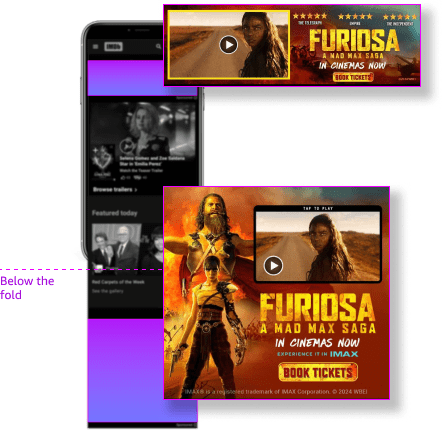
Mobile/Apps – Above the fold
Tablet App Banner
- Lives above the fold on IMDb iOS tablet app pages.
- Static banner with single CTA.
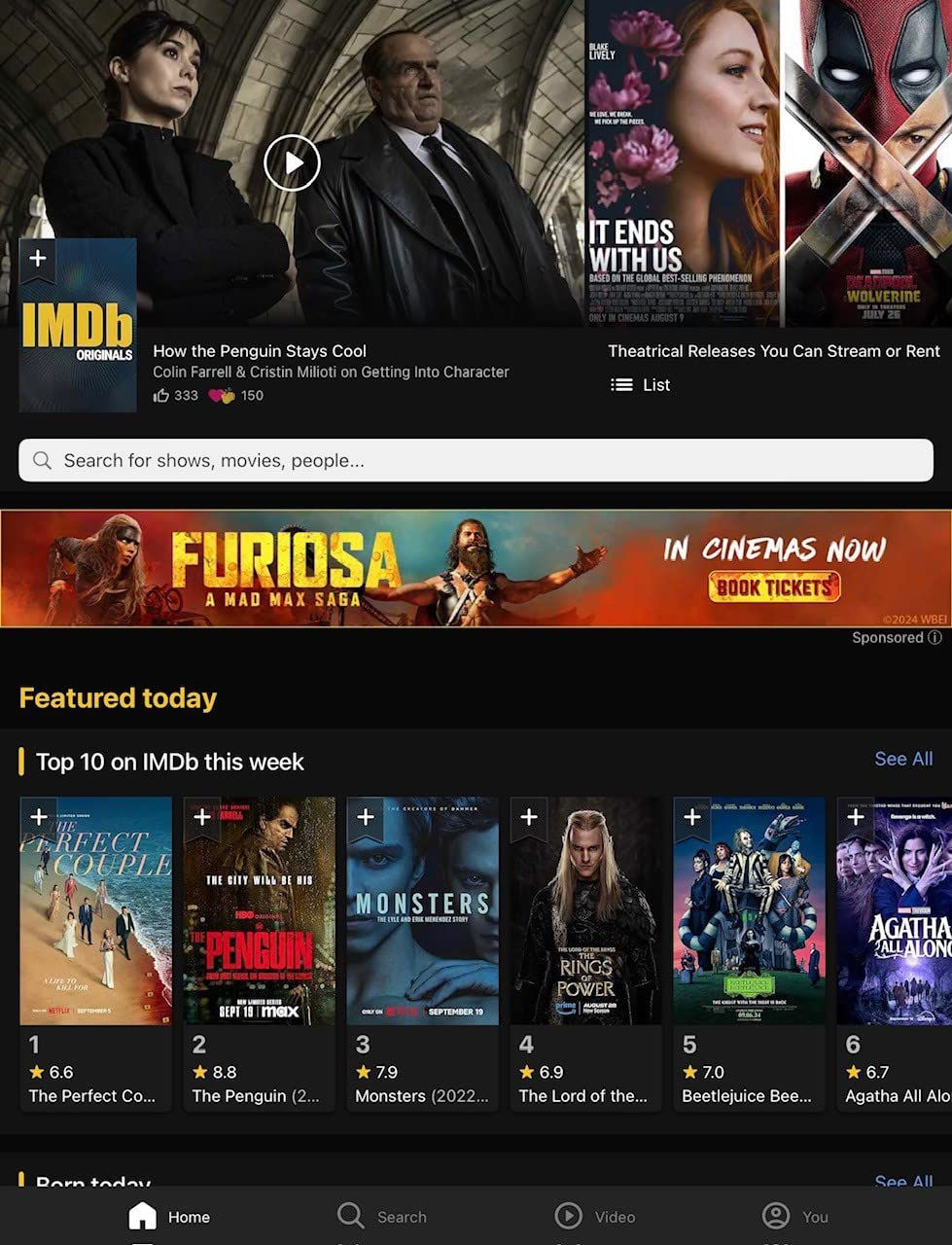
Tablet App
Tiến trình sản xuất
Tiến trình sản xuất quảng cáo IMDb là số ngày làm việc cần thiết để sản xuất một đơn vị quảng cáo và đưa vào hoạt động. Xin lưu ý, tiến trình này không bao gồm:
- Cần thêm thời gian nếu có thêm các tiện ích bổ sung.
- Các giai đoạn khác của quá trình thiết lập chiến dịch, chẳng hạn như phê duyệt IO và đặt trước dịch vụ.
Tiến trình sản xuất
- 20 ngày làm việc
- SLA bắt đầu khi tất cả các tài sản thiết kế đã được tiếp nhận và phê duyệt.
Các tài sản nội dung bàn giao
Quá trình sản xuất sẽ không bắt đầu khi vẫn chưa bàn giao tất cả tài sản nội dung.
Phân phối: Chỉ bên thứ nhất
- Tệp video (Đoạn giới thiệu đầy đủ)
- 1920x1080 px (16:9)
- Chỉ định dạng .mp4 (chúng tôi không hỗ trợ định dạng ProRes)
- Thời lượng tối đa: 5 phút
- Kích thước tối đa của tệp: 50MB
- Tệp video (đoạn giới thiệu 6 giây trên máy tính để bàn)
- 1920x1080
- Chỉ định dạng .mp4 (chúng tôi không hỗ trợ định dạng ProRes)
- Thời lượng tối đa: 6 giây
- Kích thước tối đa của tệp: 1MB
- Biểu ngữ trên cùng cho máy tính để bàn
- Định dạng .jpg và tệp PSD
- Xem mẫu PSD để biết kích thước
- Biểu ngữ chiều dọc trên thiết bị di động
- 320x100 (640x200)
- Định dạng .jpg và tệp PSD
- Biểu ngữ phụ trên thiết bị di động
- 320x300 (640x600)
- Định dạng .jpg và tệp PSD
- Biểu ngữ tĩnh
- 300x250 (600x500) 50KB
- 728x90 (1456x180) 40KB
- Định dạng .jpg và tệp PSD