product
Amazon DSP: Advertise with a demand-side platform
Launch announcement
December 1, 2025
Live Events Optimizer is a new data-powered, turnkey programmatic offering that enables advertisers to capture audiences during the most valuable live moments while optimizing for performance. Available on Amazon DSP through a dedicated line item, Live Events Optimizer transforms events advertising from a complex, fragmented process into a streamlined, self-service experience. It simplifies campaign management, unifies certified premium inventory, and delivers advanced pacing, forecasting, and streamlined reporting designed for peak engagement moments.
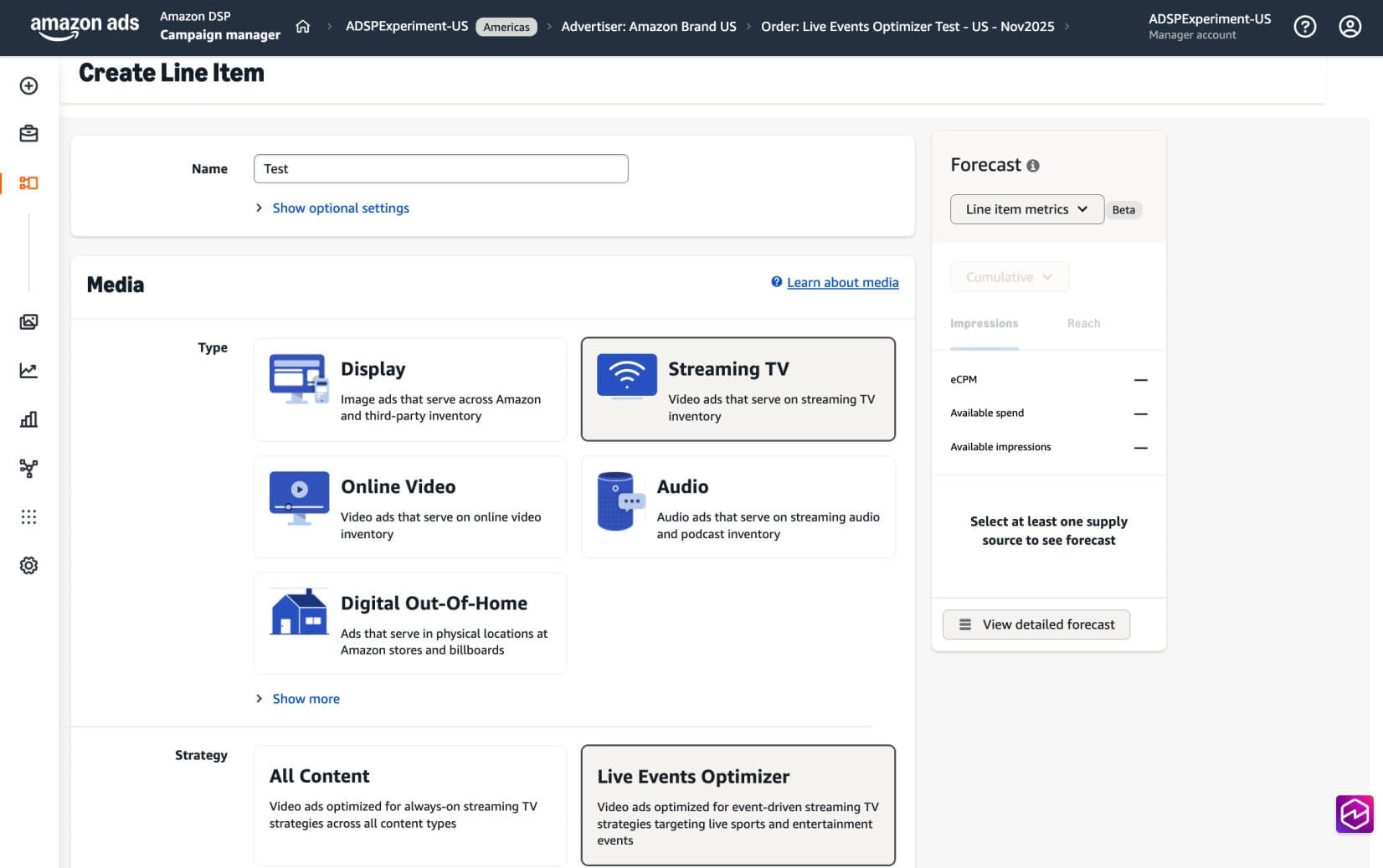
Step 1: To configure a Live Events Optimizer Streaming TV (STV) buy in Amazon DSP, navigate to the “Create line item” page. Once you select “Streaming TV” as your Media type, you can now select “Live Events Optimizer” as your Media strategy.
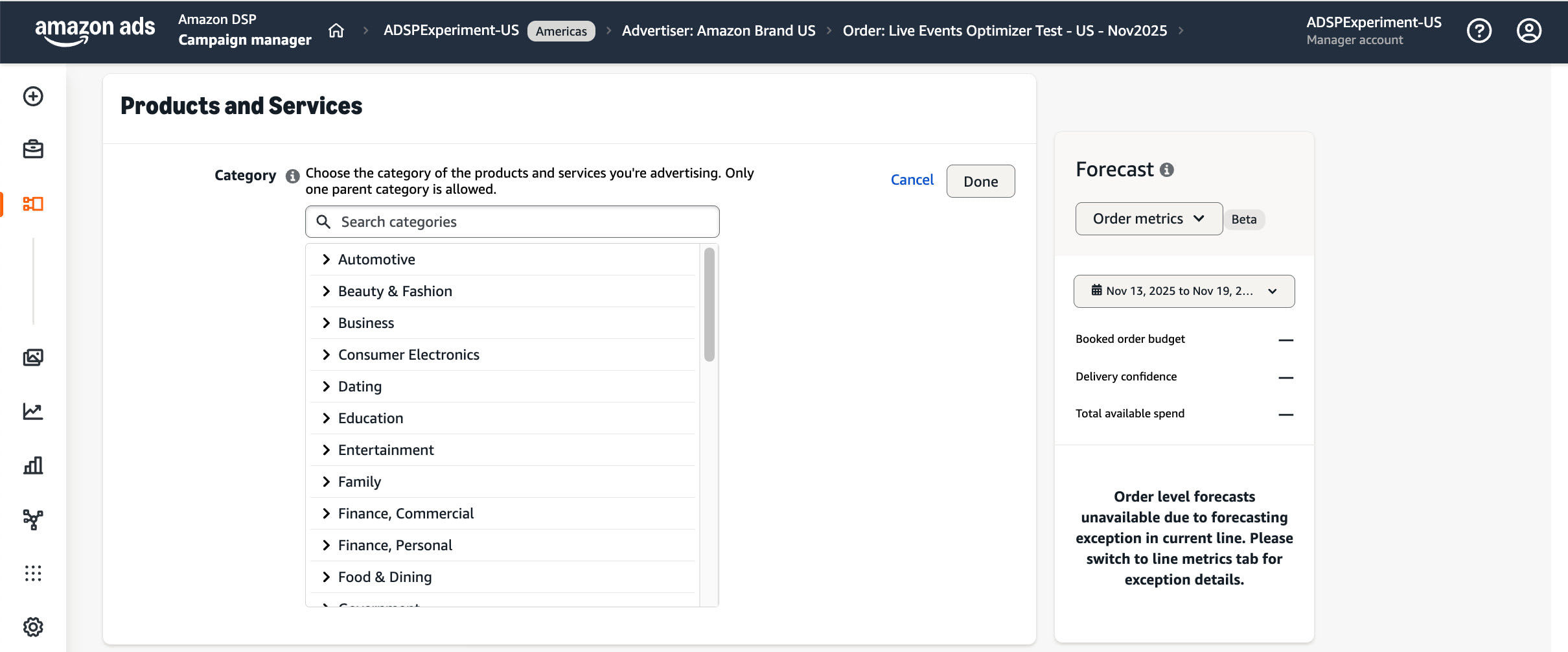
Step 2: Select the category for product or service you are advertising on your list item.
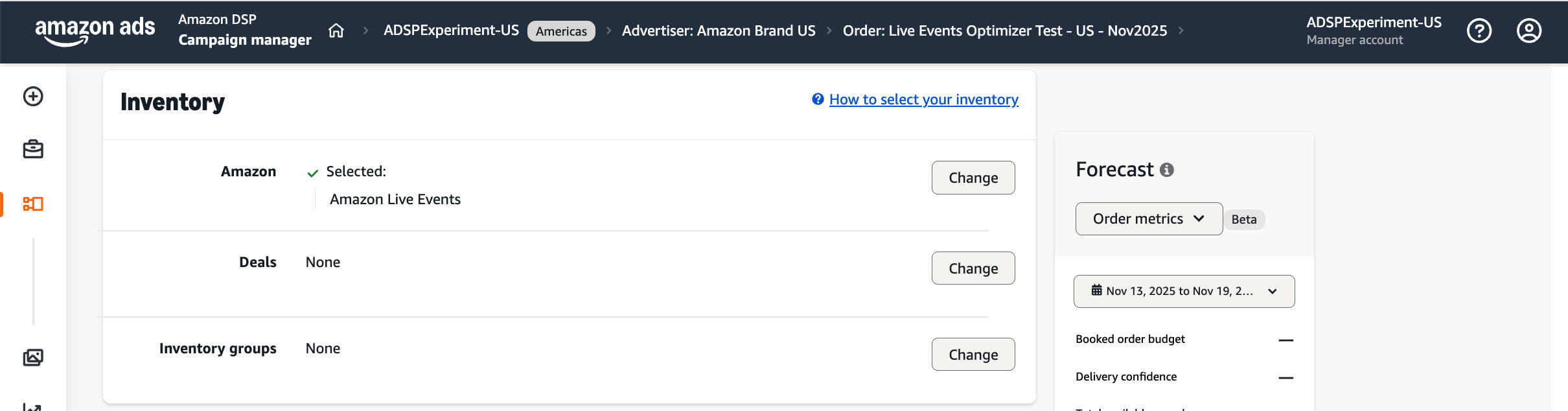
Step 3: In the Inventory widget, select the Amazon owned & operated and/or Open Internet live events inventory that you would like to advertise on.
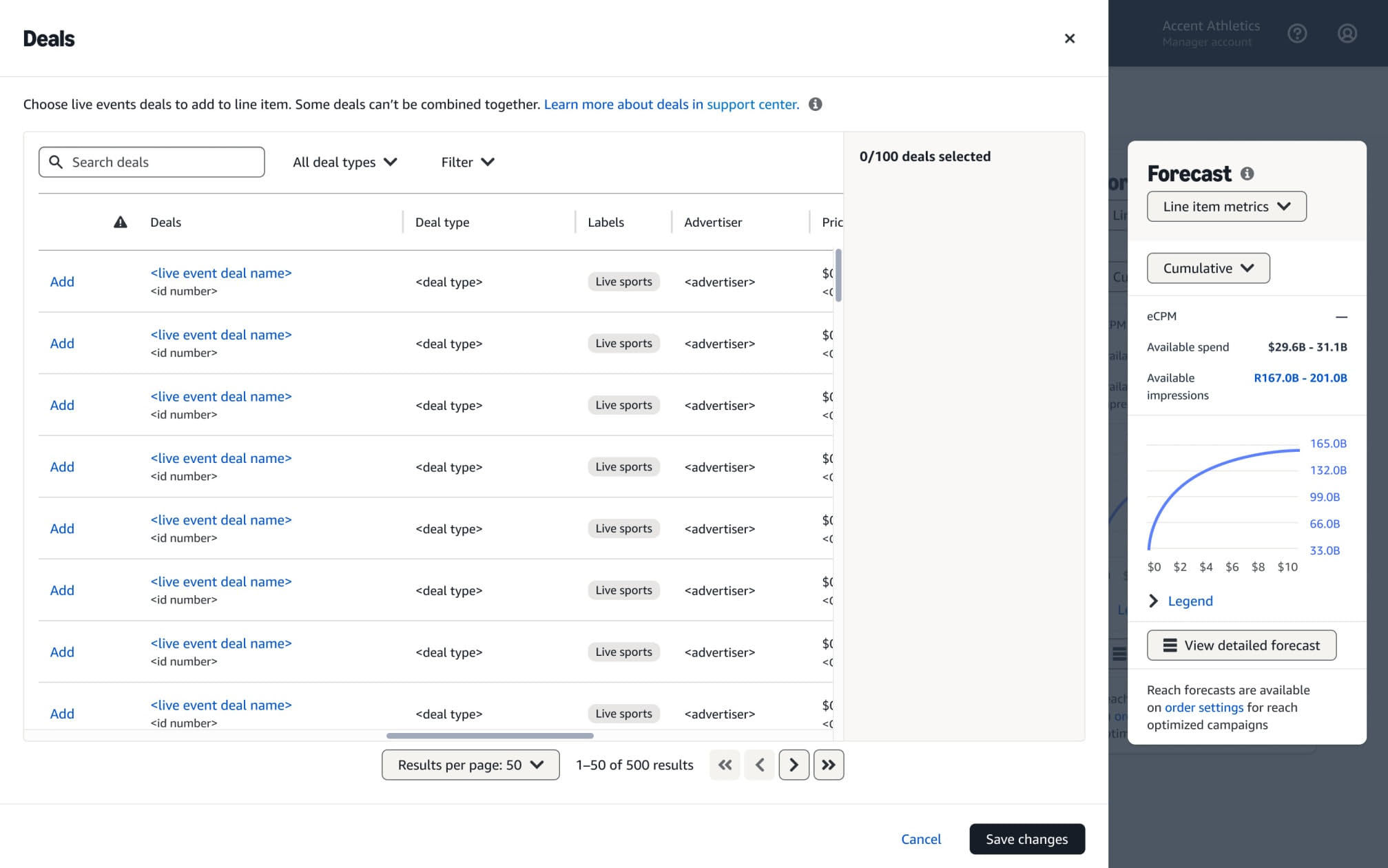
Step 4: When you select “Change” Deals in the Inventory widget, you can select from a list of Live Events deals to buy. Each of these deals has been certified as Live Events content by Amazon DSP.
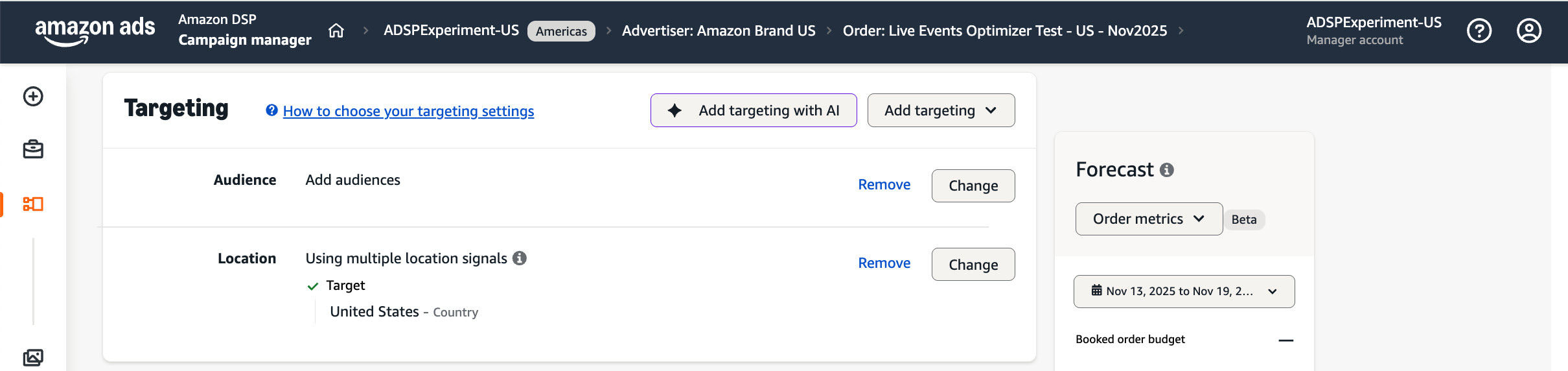
Step 5: Configure your Audience and Location targeting settings. All standard Amazon DSP Audience and Location targeting settings are available with Live Events Optimizer. Note: Strict targeting can limit budget delivery scale.
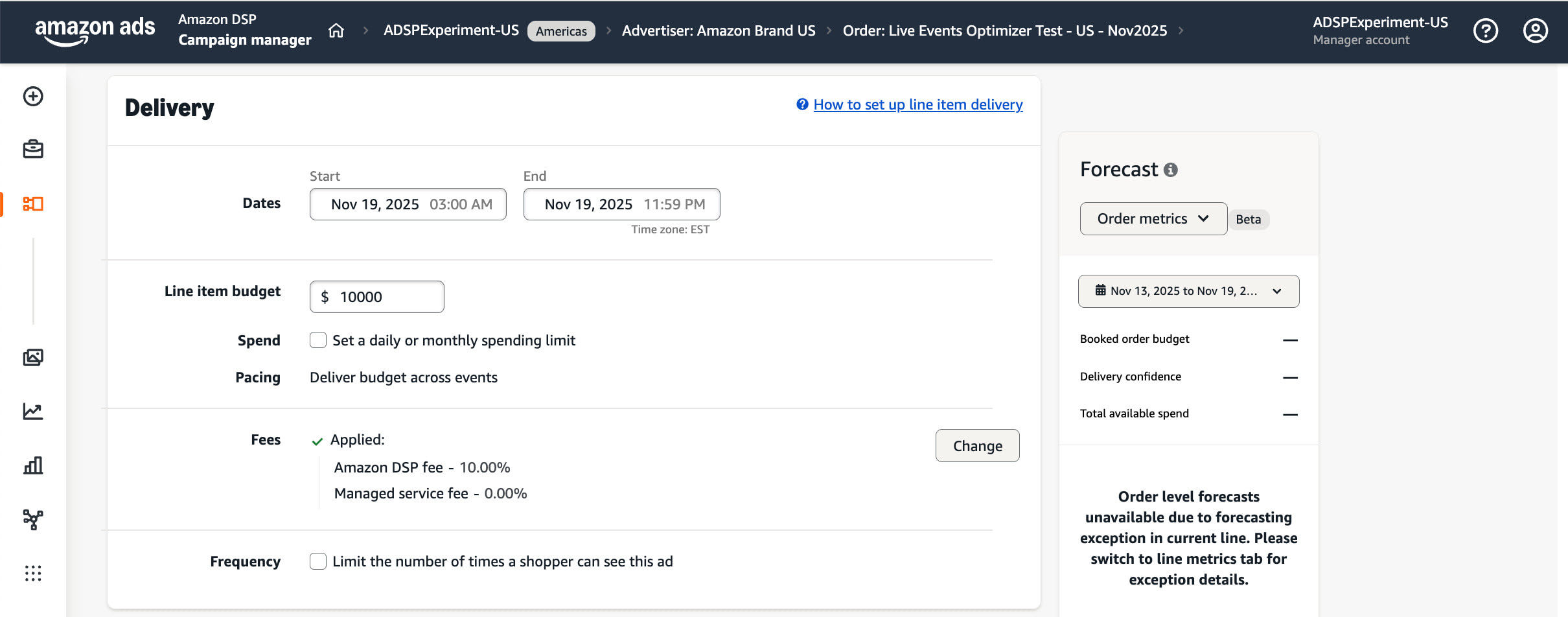
Step 6: Configure your delivery settings by setting start and end dates for your ad line flight and a line item budget. Live Events Optimizer will automatically pace your budget and optimize delivery across the live events in your budget flight based on the inventory you select. Separately, you can also configure a line item frequency cap. Live Events Optimizer is compatible with all standard Amazon DSP frequency caps including line item frequency caps, order, frequency caps, and cross-order, advertiser account, cross-advertiser account, and cross-manager account frequency group levels. Note: Strict frequency caps can limit budget delivery scale.
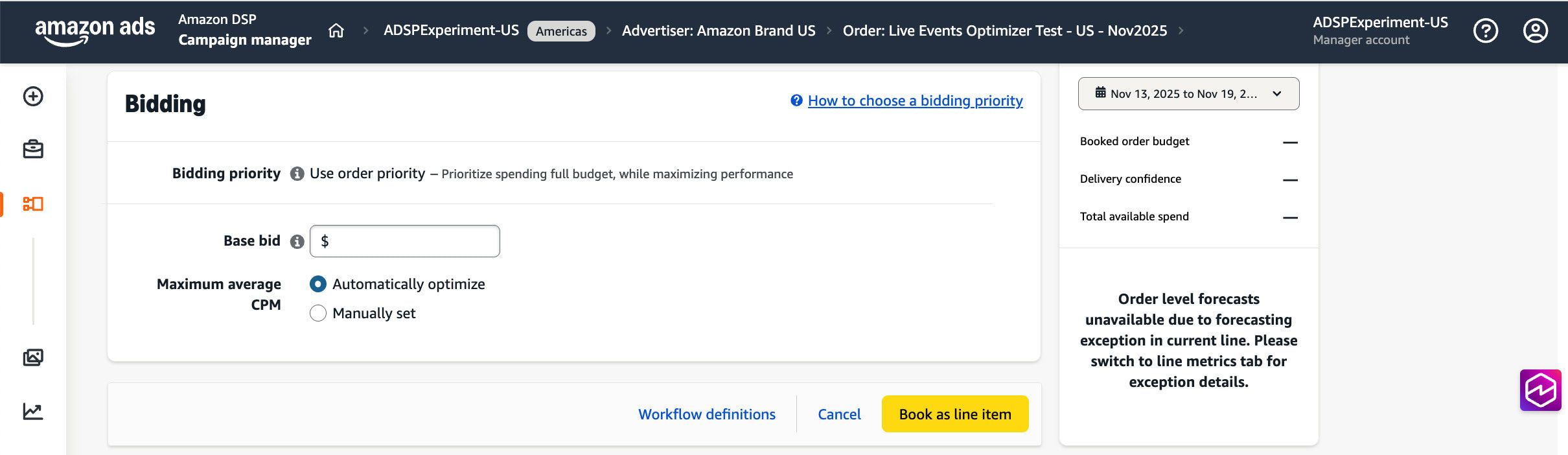
Step 7: Configure your bid price settings for your Live Events Optimizer ad line item. Then save your ad line by selecting “Book line item.”
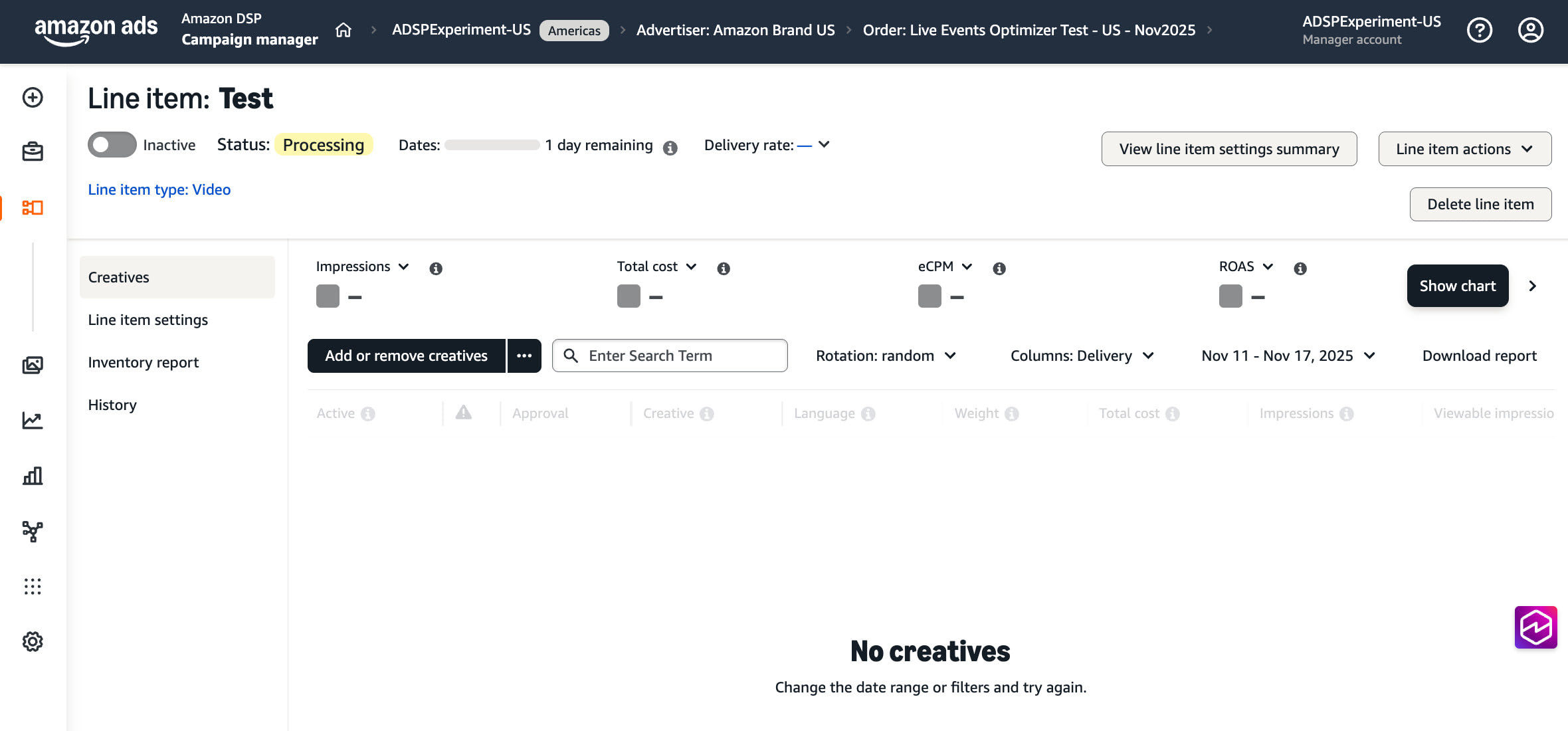
Step 8: Attach approved STV creatives to your Live Events Optimizer line item. Then Activate the creative(s) and line item.
The programmatic buying of live events inventory presents significant challenges for advertisers and publishers. Traditional programmatic systems struggle to handle the volatility of event viewership, resulting in under-delivery for advertisers and missed monetization opportunities for publishers. High-value moments often go unsold due to lack of scalable demand and budget flexibility. Live Events Optimizer addresses these challenges by providing advertisers a one-stop shop for all their live events buying needs through Amazon DSP. It helps advertisers buy live events inventory including sports, concerts, award shows, and cultural programming, with specialized workflows & intelligent tech designed for the unique needs of live content. Unlike traditional programmatic offerings that use generic video optimization, Live Events Optimizer streamlines live events buying through three key benefits:
Advertisers can also access streamined reporting through existing Amazon DSP infrastructure, eliminating manual reconciliation across fragmented publisher systems.
Live Events Optimizer is available via Public API, enabling programmatic creation and management of live events campaigns at scale. To create a Live Events Optimizer line item, set "inventoryType": "LIVE_EVENTS" to designate the campaign type, and use "pacing": { "deliveryProfile": "EVEN" } which corresponds to "Deliver Budget Across Events" pacing that distributes budgets across scheduled event windows based on viewership patterns rather than evenly across calendar days. Key endpoints include POST/dsp/v1/adGroups and POST /adsApi/v1/create/adGroups for creation, and POST/dsp/v1/adGroups/list or POST /adsApi/v1/query/adGroups for retrieving line item configurations. Both APIs support all standard Amazon DSP targeting, bidding, and optimization parameters, though certain targeting types may be restricted for Live Events inventory and will return a 400 error if unsupported.