Amazon Fresh offers seamless in-store & online shopping for the customer’s weekly grocery basket. Grow your business with Amazon Fresh online display ads, reaching customers at key moments throughout their shopping journey.
Privacy Statement
Do not enter any sensitive or personal data into the search field (e.g., name, address, financial information).
Amazon Fresh Display Ads
Fresh DSP Desktop and Mobile
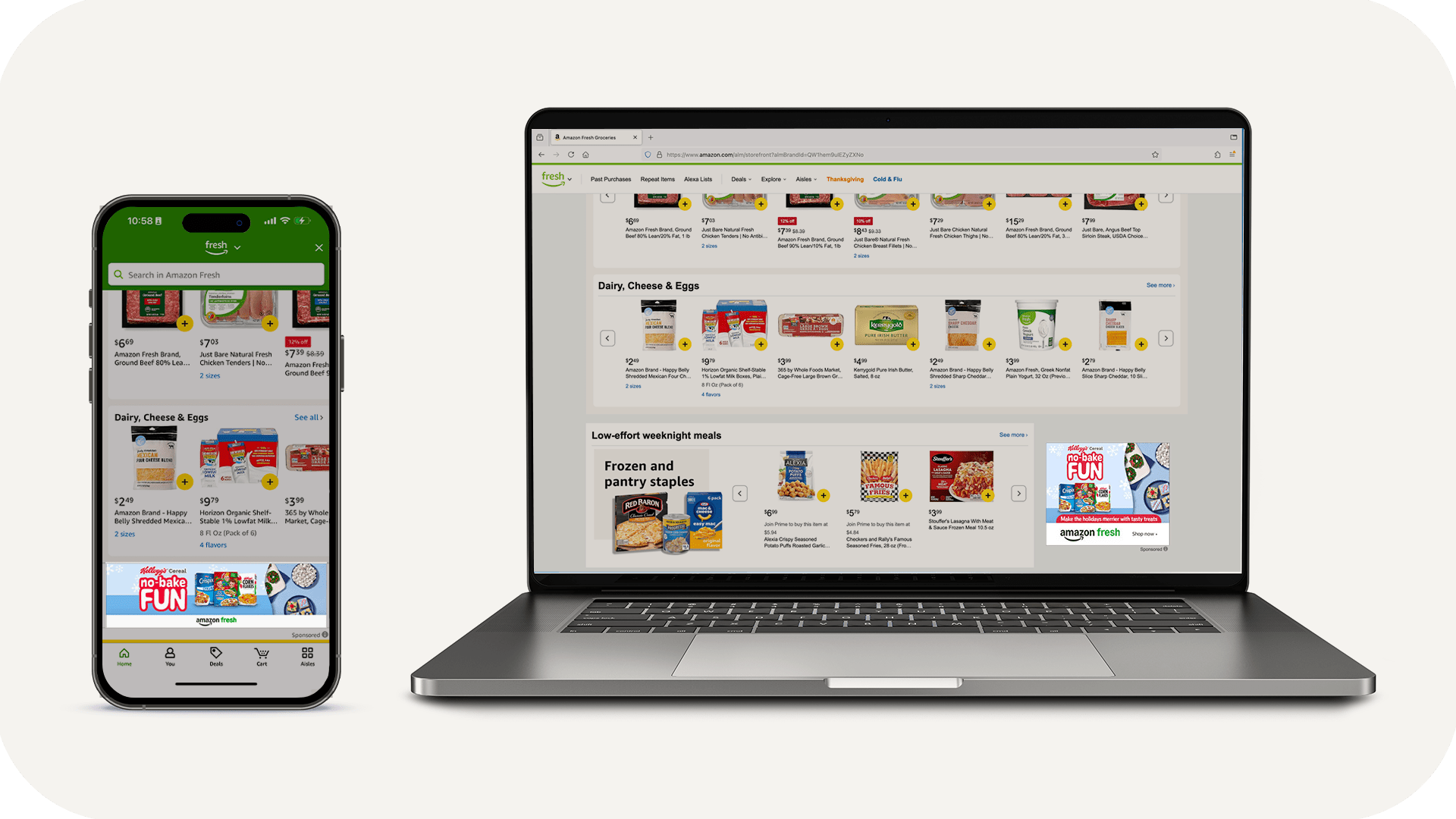
Visual example of DSP creatives on desktop and mobile
Specs
Desktop
| Display Size | Max. File Weight | File Format |
|---|---|---|
| 160x600 px | 40 kb static | JPG / PNG-8 |
| 300x250 px | 40 kb static | JPG / PNG-8 |
| 300x600 px | 50 kb static | JPG / PNG-8 |
| 728x90 px | 40 kb static | JPG / PNG-8 |
| 970x250 px | 200 kb static | JPG / PNG-8 |
Mobile
| Display Size | Creative Dimensions | Max. File Weight | File Format |
|---|---|---|---|
| 320 x 50 px | 640 x 100 px @2X (required) | 20 kb | JPG / PNG-8 |
| 414 x 125 px | 828 x 250 px @2X (required) | 100 kb | JPG / PNG-8 |
| 300 x 250 px | 600 x 500 px @2X (required) | 40 kb | JPG / PNG-8 |
| 728x90 | 1456 x 180 px @2X (required) | 40 kb | JPG / PNG-8 |
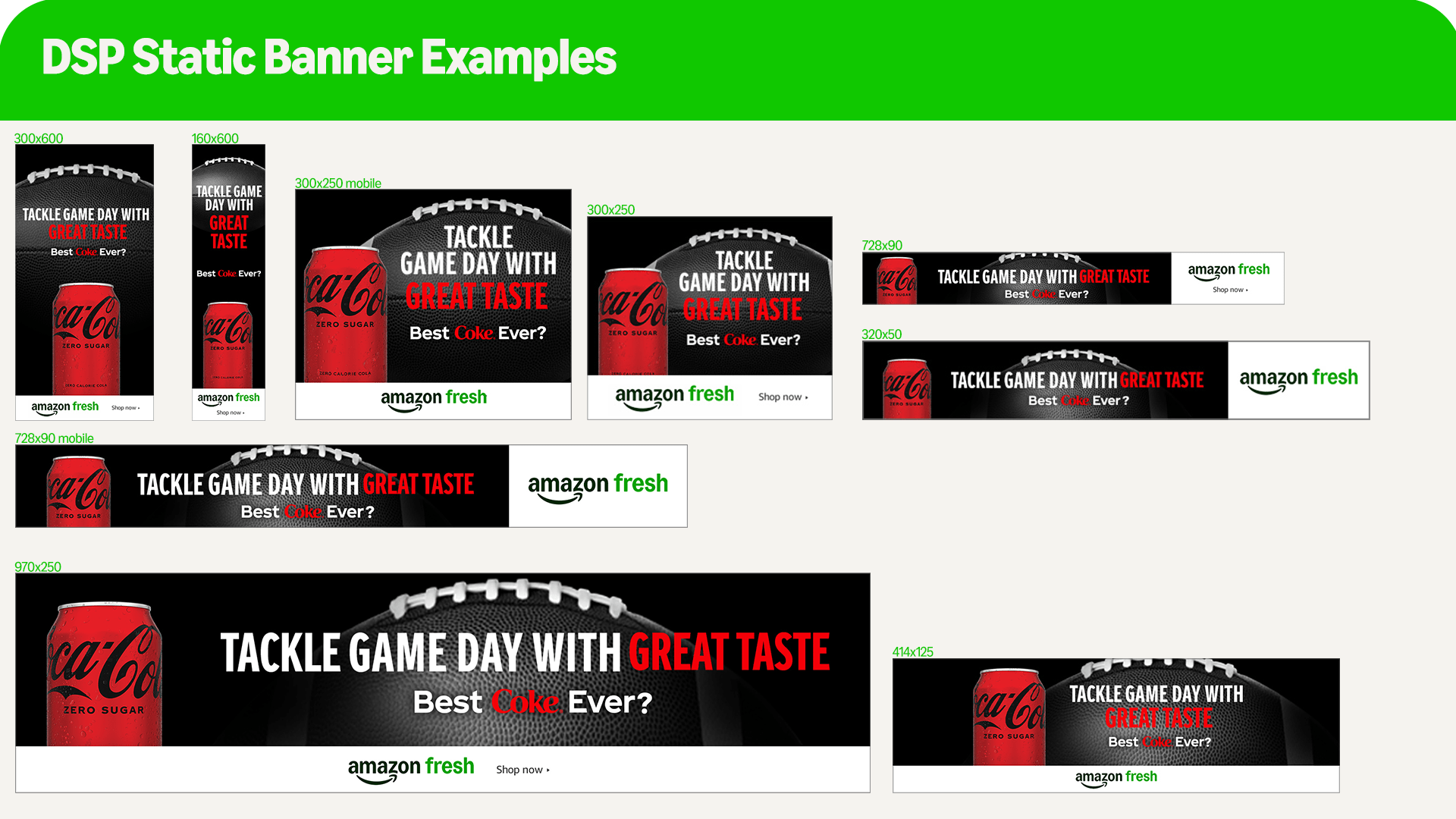
Visual example of DSP sizes
Guidelines for Fresh DSP
- DSP banners running on 3P or Amazon O&O inventory outside of the Fresh environment (Walled Garden) must use the pre-approved Fresh Logo lockup shown above.
-
Please add a 1 pixel color border around all banners to avoid rejection.
- Creatives with white or light colored backgrounds must use a black, dark, or gray 1 pixel border to ensure customers can distinguish ads from non-sponsored content on the page.
- Note: A 1 pixel border can also be added directly in the DSP UI to comply with this policy
-
All Mobile Banners need to be exported at the size in parenthesis as we require 2-3x resolution for mobile.
- Note: Assets can also be automatically upscaled with generative AI the DSP UI.
- Destination for static banners must be Fresh Landing Page, Search String, or Brand Store. Static banners cannot drive to a Product Detail Page (PDP).
Amazon Fresh Responsive Ecommerce Ads (REC)
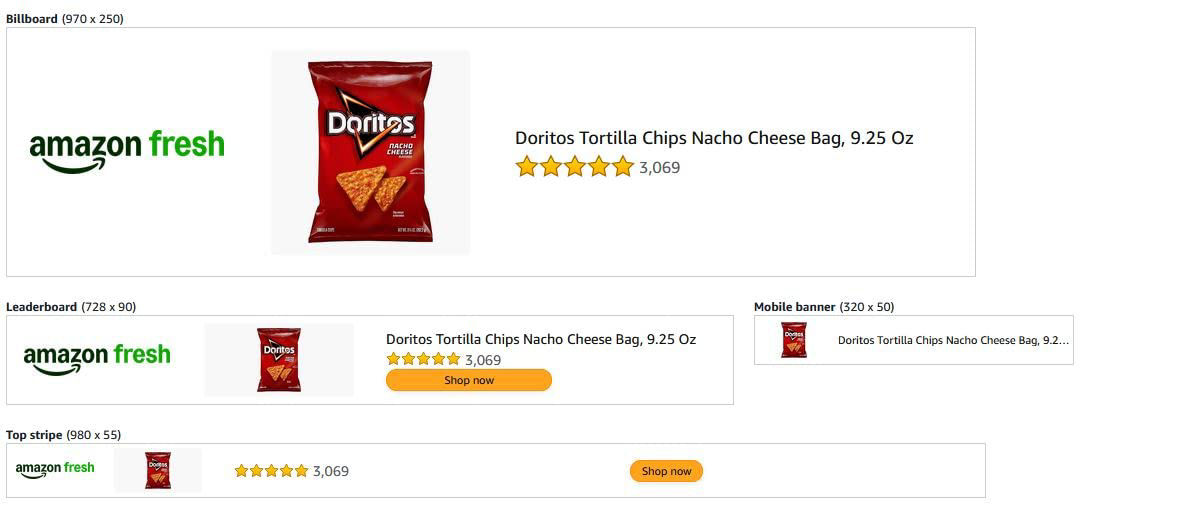
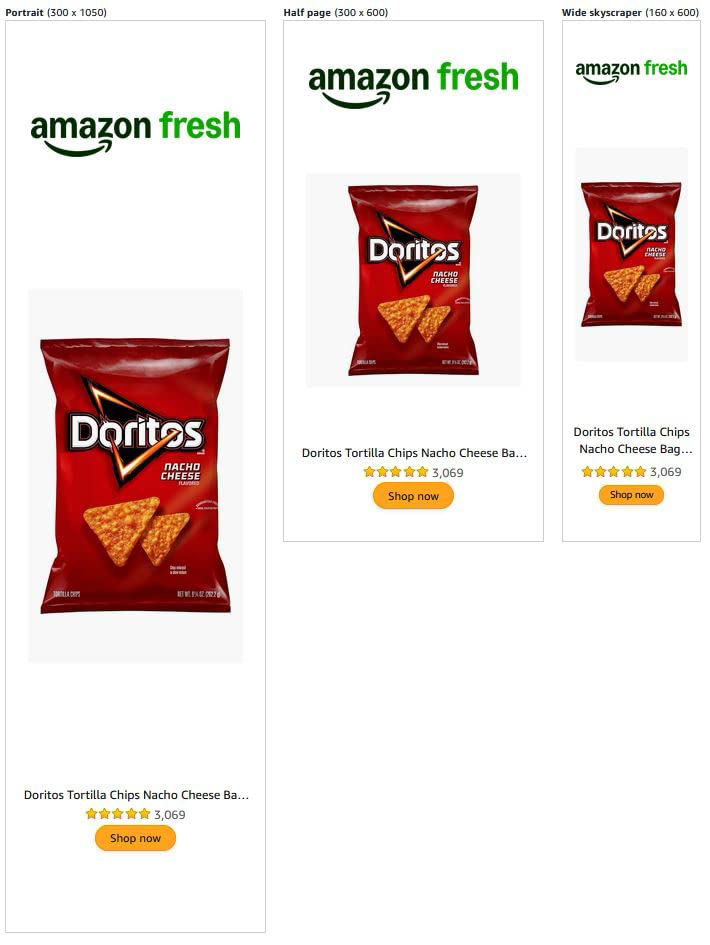
Promote your products on Amazon Grocery online pages using optimized and retail-aware advertising! REC automatically generates ads with up to 20 associated ASINs and can include elements such as live pricing, deals, and star ratings. These ads optimize among the selected ad variations and product ASINs to drive the best campaign performance and to provide shoppers with the best experience.
Guidelines for Fresh REC
- Ad Placements: Amazon Fresh offers can only show on online Amazon Fresh pages (not other Amazon pages or 3p sites). If your product has both Amazon Fresh and Amazon.com “core” offers, the Amazon Fresh offers will show on Fresh pages and “core” offers will continue to show on Amazon “core” and 3P sites.
- Landing Destination: Amazon Fresh PDP for Fresh offers; Core PDP for Amazon.com core offers
- Eligibility: Endemic to Grocery (for Grocery REC offers to show); Managed or Self-Service Display
- Creative Types: Auto-Generated or Custom
-
Ad Variations: Coupon, Customer Review, and Shop Now
*Add to Cart coming soon for Grocery REC - Fresh Logo: We recommend manually uploading the Fresh logo (available in the Amazon Fresh Logo section) for Fresh-exclusive ASINs only. The Fresh logo should not be uploaded for shared ASINs.
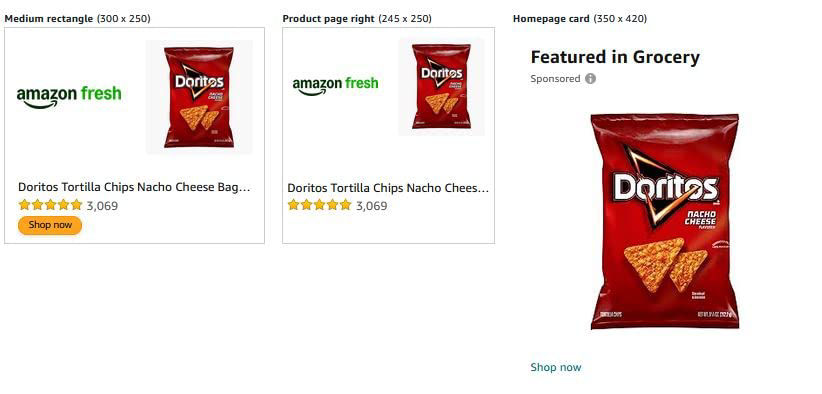
Custom Image (optional)
REC ads automatically incorporate the product image from the Amazon product detail page. However, you also have the option to use a custom image featuring your own branded colors and imagery in place of the default product image. There are two types of custom images: responsive sizing custom images, which creates 12 ad sizes with just 3 images, and size-specific custom images, which generates up to 10 different sizes with the upload of 6 images. For more direct management of the generated creative, we recommend uploading three custom images: a square image (1200px x 1200px or 1:1 ratio), a tall image (900px x 1600px or 9:16 ratio), and a wide image (1200px x 628px or 1.91:1 ratio). Designers can use the responsive custom image PSDs to generate the custom images.
Fresh Share of Voice (SOV)
The Fresh SOV placements receive priority placement and run throughout the Amazon Fresh online environment (within the “walled garden”). This package is only available for Managed Services advertisers.
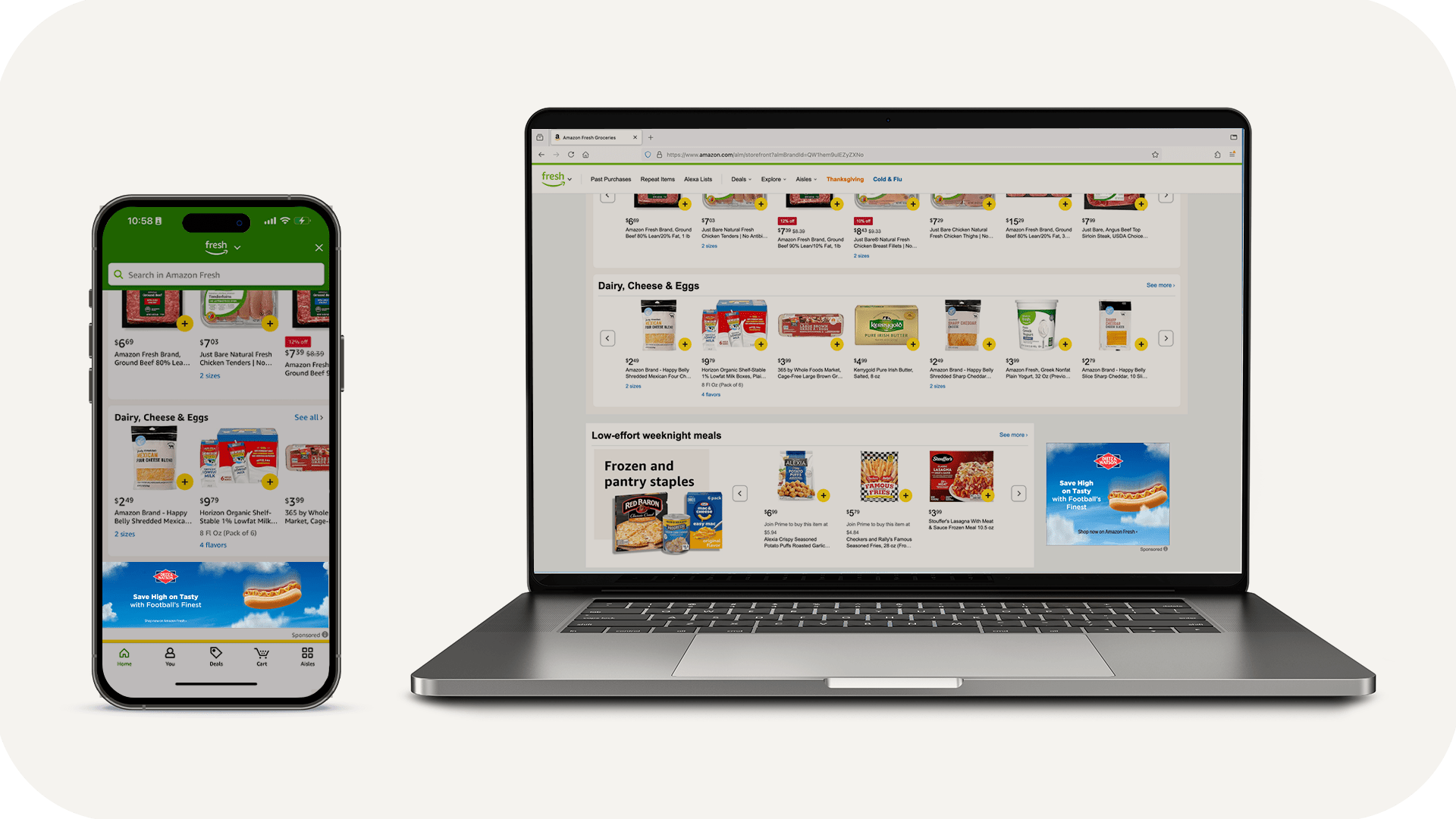
Visual example of SOV creatives on desktop and mobile
Specs
Desktop
| Display Size | Max. File Weight | File Format |
|---|---|---|
| 160x600 px | 40 kb static | JPG / PNG-8 |
| 300x250 px | 40 kb static | JPG / PNG-8 |
| 980x55 px | 40 kb static | JPG / PNG-8 |
| 728x90 px | 40 kb static | JPG / PNG-8 |
| 970x250 px | 200 kb static | JPG / PNG-8 |
Mobile
| Display Size | Creative Dimensions | Max. File Weight | File Format |
|---|---|---|---|
| 414x125 px | 828 x 250 px @2X (required) | 100 kb | JPG / PNG-8 |
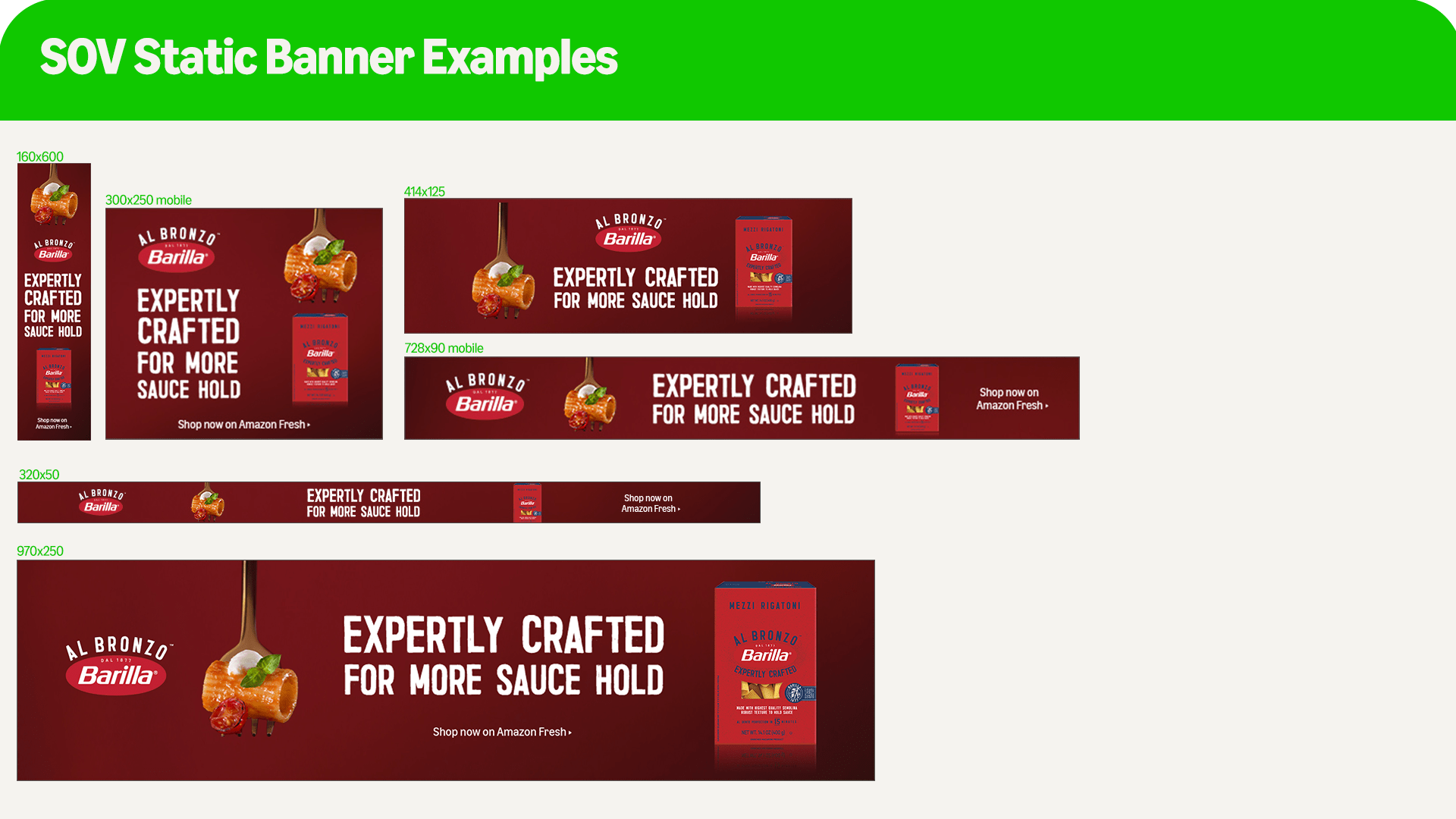
Visual example of SOV sizes
Guidelines for Fresh SOV (Endemic Advertisers)
- SOV Banners must use the pre-approved Fresh Logo lockup/CTA “Shop now on Amazon Fresh”
- The line breaks and size of the CTA cannot be changed. The only modifications allowed are position and color.
- For Endemic advertisers, only Amazon Fresh ASINs can be featured
-
Please add a 1 pixel color border around all banners to avoid rejection.
- Creatives with white or light colored backgrounds must use a black, dark, or gray 1 pixel border to ensure customers can distinguish ads from non-sponsored content on the page.
- Note: A 1 pixel border can also be added directly in the DSP UI to comply with this policy
-
All Mobile Banners need to be exported at the size in parenthesis as we require 2-3x resolution for mobile.
- Note: Assets can also be automatically upscaled with generative AI the DSP UI.
- Destination for static banners must be Fresh Landing Page, Search String, or Brand Store. Static banners cannot drive to a Product Detail Page (PDP).
Guidelines for Fresh SOV (Non-Endemic Advertisers)
-
Non-Endemic advertisers need approval to run Fresh Walled Garden Display
- Managed Service Advertisers should work with their dedicated Account Team to explore approvals
- Non-Endemic ads are approved to link out from Amazon Fresh to either an Amazon.com landing page or the advertiser's own website, in accordance to Amazon's WWAP link out policies.
- Only 2 CTAs are currently approved: 'Learn More' and 'Find an Event Near You'
-
Please add a 1 pixel color border around all banners to avoid rejection.
- Creatives with white or light colored backgrounds must use a black, dark, or gray 1 pixel border to ensure customers can distinguish ads from non-sponsored content on the page.
- Note: A 1 pixel border can also be added directly in the DSP UI to comply with this policy
-
All Mobile Banners need to be exported at the size in parenthesis as we require 2-3x resolution for mobile.
- Note: Assets can also be automatically upscaled with generative AI the DSP UI.
Fresh Top Center Graphic (TCG) Banner
Enhance your Fresh Landing Page with a Top Center Graphic
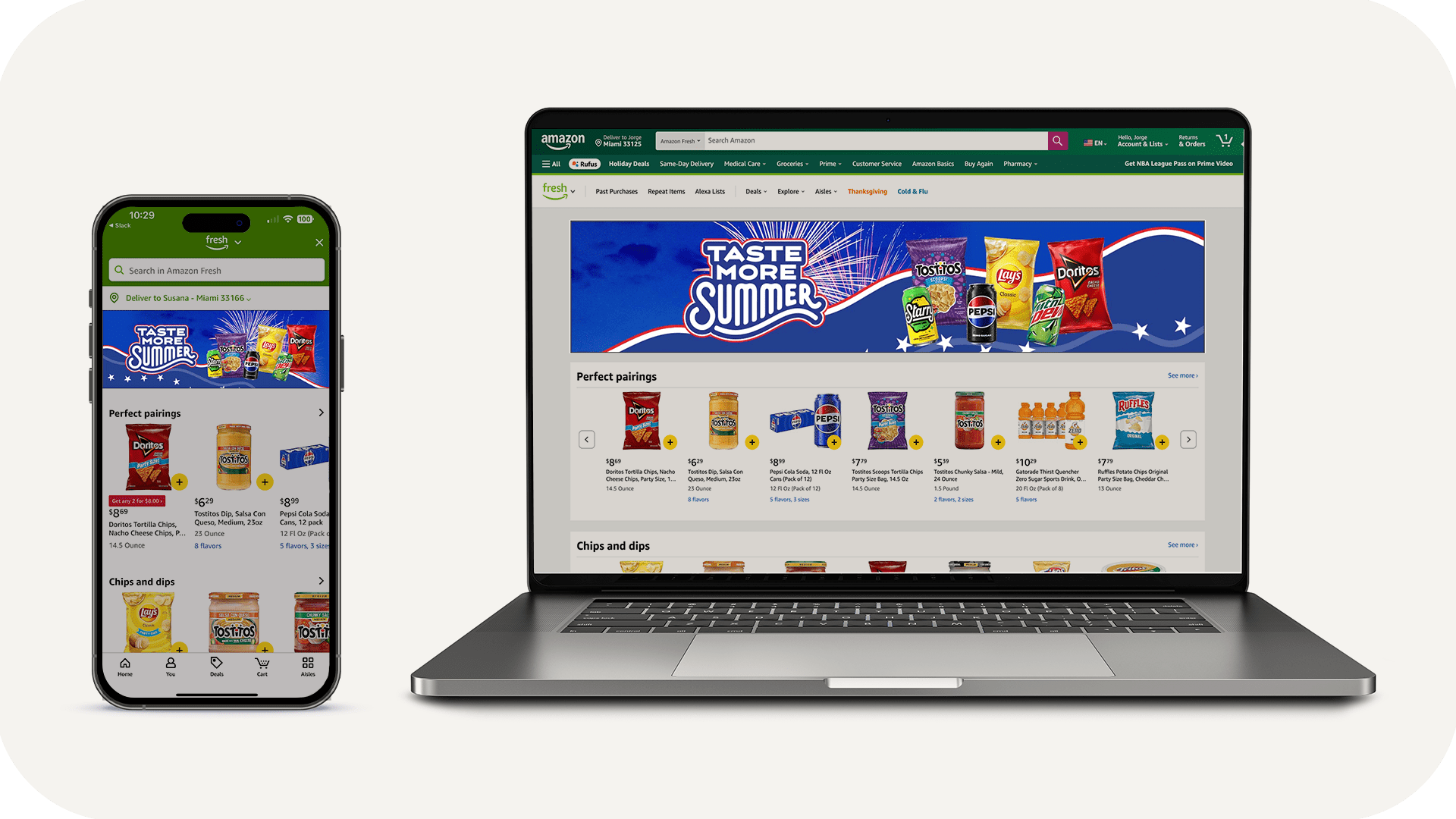
Visual example of a Top Center Graphic on desktop and mobile Fresh landing pages
| Placement | Display Size | Max. File Weight | File Format |
|---|---|---|---|
| Desktop | 1500x300 px | 200 kb static | JPG / PNG-8 |
| Mobile | 870x300 px | 100 kb static | JPG / PNG-8 |
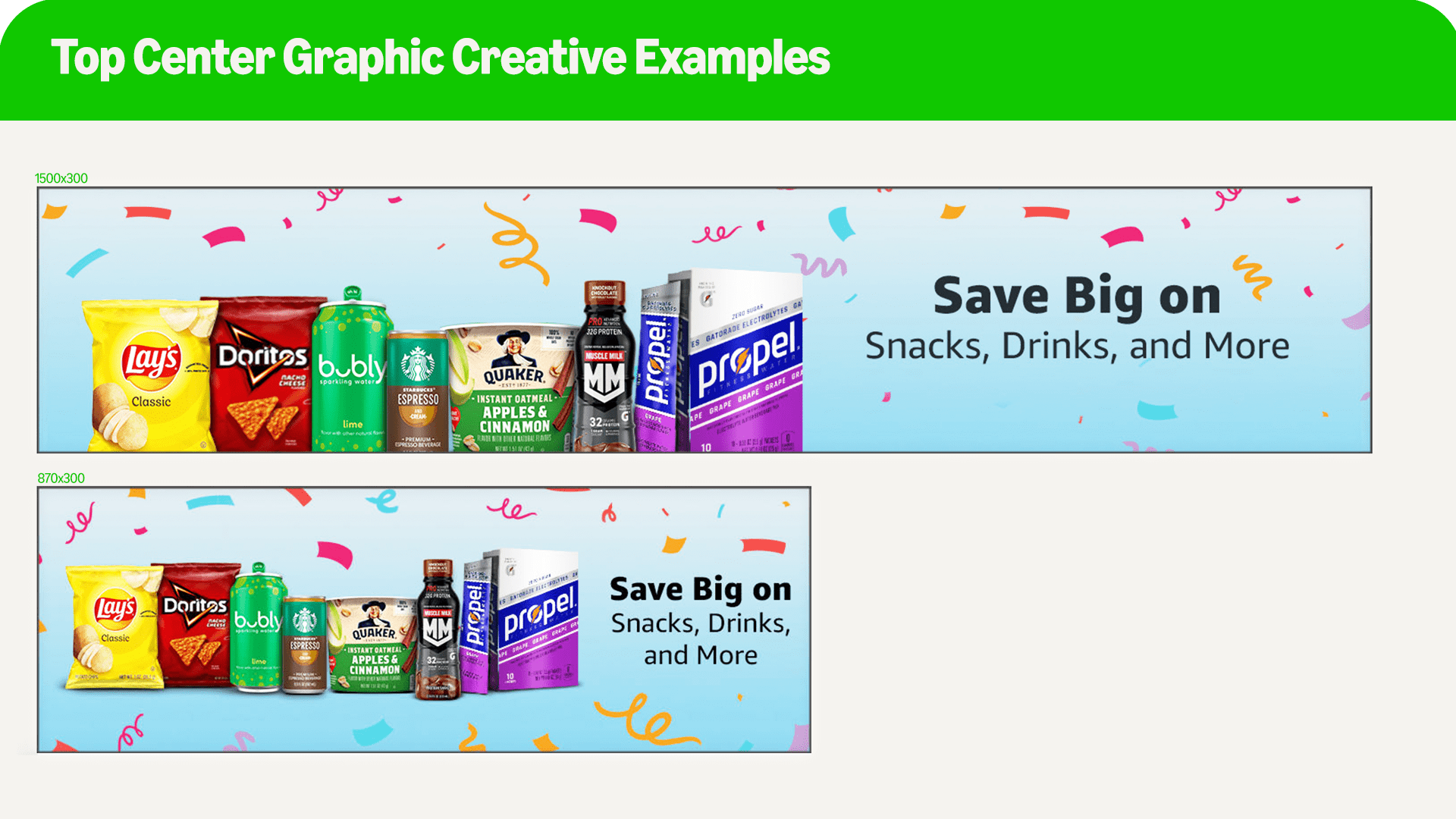
Visual example of Top Center Graphic sizes
Guidelines for Fresh TCG
- These units are featured only on Amazon Fresh Landing Pages (desktop and mobile). They are positioned at the top of the Landing Page.
- Amazon Fresh Landing Pages are built via Managed Service, however, advertisers can design their own TCGs and provide to their Amazon account team to add to the Landing Page.
- CTA isn't required.
- Lockup isn't required.
- Minimum font sizes: 1500x300 (40 px), 870x300 (24px)
Locales
North America
- US
Europe
- ES
- IT
- UK
Asia Pacific
- JP
- SG