Alexa Home Screen display ads are static advertisements shown on Amazon Echo Show devices. These ads are created using a component-based asset template, where advertisers provide individual assets such as a logo, headline, and image. The ads are displayed full-screen on the home screen of Echo Show devices – in rotation with other content such as weather, recipes, sports, or news – with the assets automatically adapted to fit the customer's device size. When a customer approaches the device (within 4 feet), the interface may briefly change to reflect their proximity, after which it will continue rotating through content if no action is taken by the customer.
Privacy Statement
Do not enter any sensitive or personal data into the search field (e.g., name, address, financial information).
Alexa Home Screen
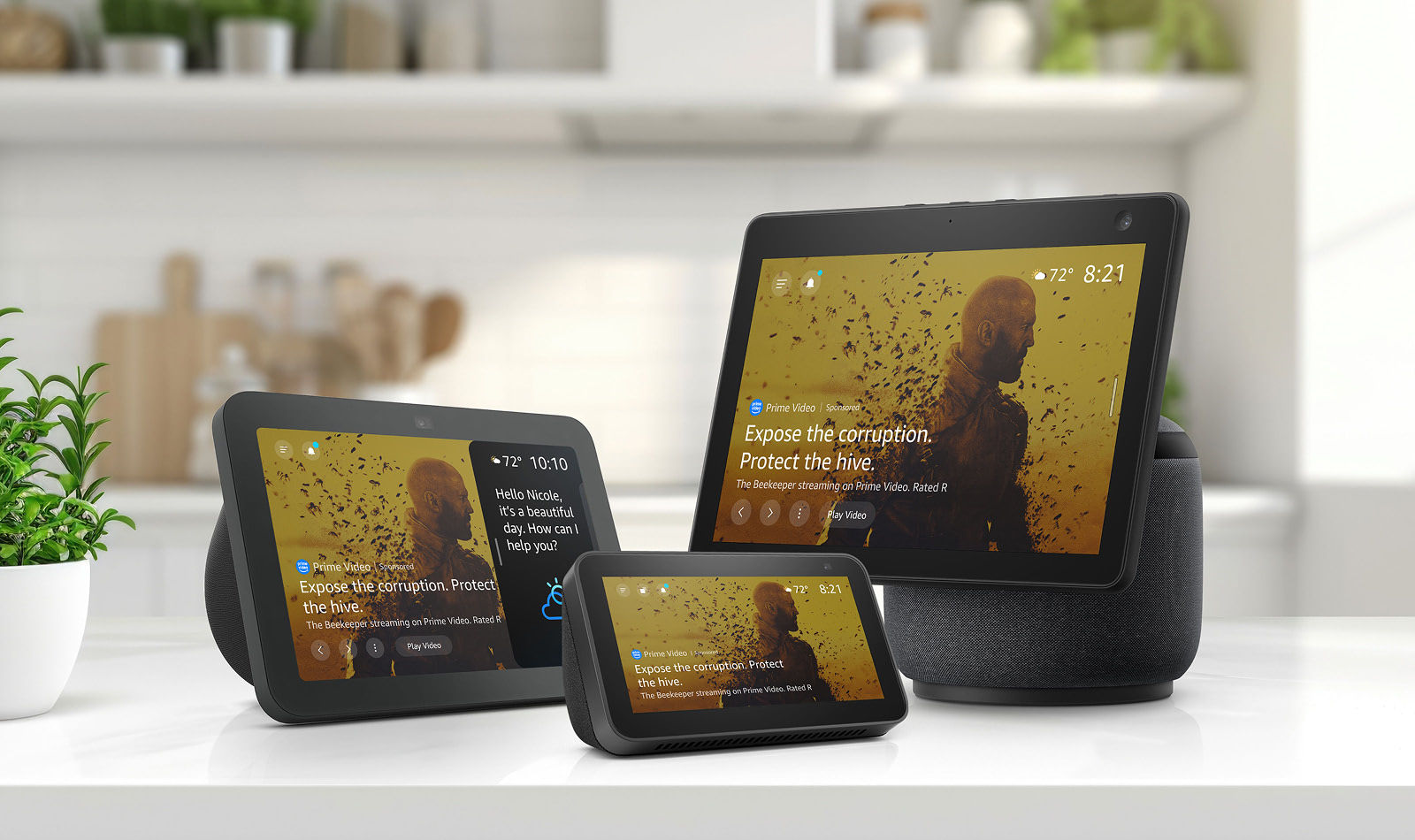
Example video with ad on an Echo Show home screen, showing a customer approaching the device before interacting with the ad.
Creative guidelines
These guidelines apply to managed service only
Creative components
Alexa Home Screen ads require an image, logo, brand name, and a headline. A translucent overlay will be applied to the image automatically, dimming the image for better contrast with other on-screen content like headline and brand name.
A video is required for "Click-to-Video" campaigns and must be appropriate for all ages. Videos with excessive violence, or mature language or themes will not be accepted. Recommended length is 60 seconds or shorter.
Certain components including the overlay and system UI cannot be modified.
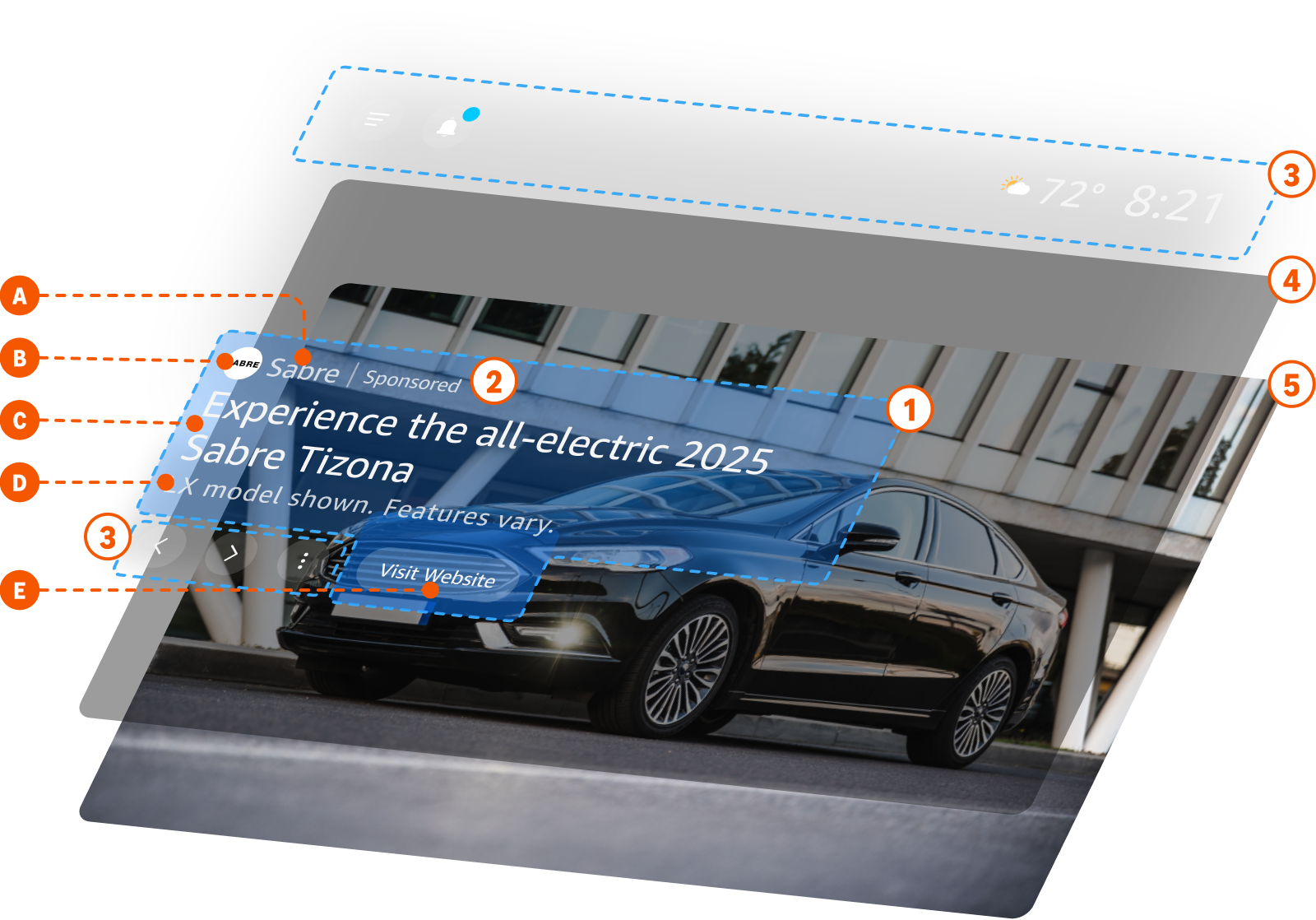
- Ad content:
- Brand name
- Logo
- Headline
- Disclaimer
- Call-to-action button. Fixed, based on ad type
- Sponsored label. This cannot be edited
- System interface. This cannot be edited
- Overlay, ensures content is legible. This cannot be edited
- Ad image
Asset specifications
| Fields | Spec | Required |
|---|---|---|
| Image | Image 1920x1080px (required) and 1080x1080px (optional but recommended). JPG or PNG, 5 MB maximum. See guidelines | ✅ Square image optional |
| Logo | 400x400px or larger (1:1 aspect ratio)* PNG recommended, 1 MB maximum. See guidelines | ✅ |
| Headline | 50 characters maximum | ✅ |
| Brand name | 25 characters maximum | ✅ |
| Disclaimer | 60 characters maximum | Optional |
| Clickthrough URL | must start with “https://” | ✅ |
| Video | 1920x1080px. Between 6s to 3 min (60s or less recommended). MP4, M4V, MOV, or MPEG. 500 MB maximum. See guidelines | ✅ For video click-through destinations only |
*Logo will be cropped to a circle. See example.
Image
- For more direct management of the creative, we recommend providing one wide and one square image:
- Wide image: 1920x1080px
- Square image: 1080x1080px
- You can also provide a single wide image that can be cropped to create the square image.
- The images must not contain any branding or text elements, such as text, logos, or call to action (CTA). Instead, use the headline and disclaimer components to include branding messages in your ad.
- Image can be a product or lifestyle image.
- Images must not:
- Contradict the landing page.
- Be on a white or transparent background.
- Feature an individual brand logo or combination of logos.
- Contain crowded, excessive, poorly cropped or illegible elements.
- Contain additional text other than text naturally present in the image (such as on product packaging).
- Use letterbox or pillarbox formats.
- Include pricing and savings claims.
- If an ad displays multiple identifiable products, it must accurately reflect the types of products on the landing page, where most of the products should be available.
- Amazon Ads will scale the custom image based on the desired ad size and device.
Image safe zone
While images don’t have any required safe zones, it’s recommended to keep important content away from the bottom left corner and the very top of the image. The image may also get cropped slightly depending on the device it is shown on, typically on the left and right side. The area covered by the brand name and headline will depend on the length of the copy you submit.
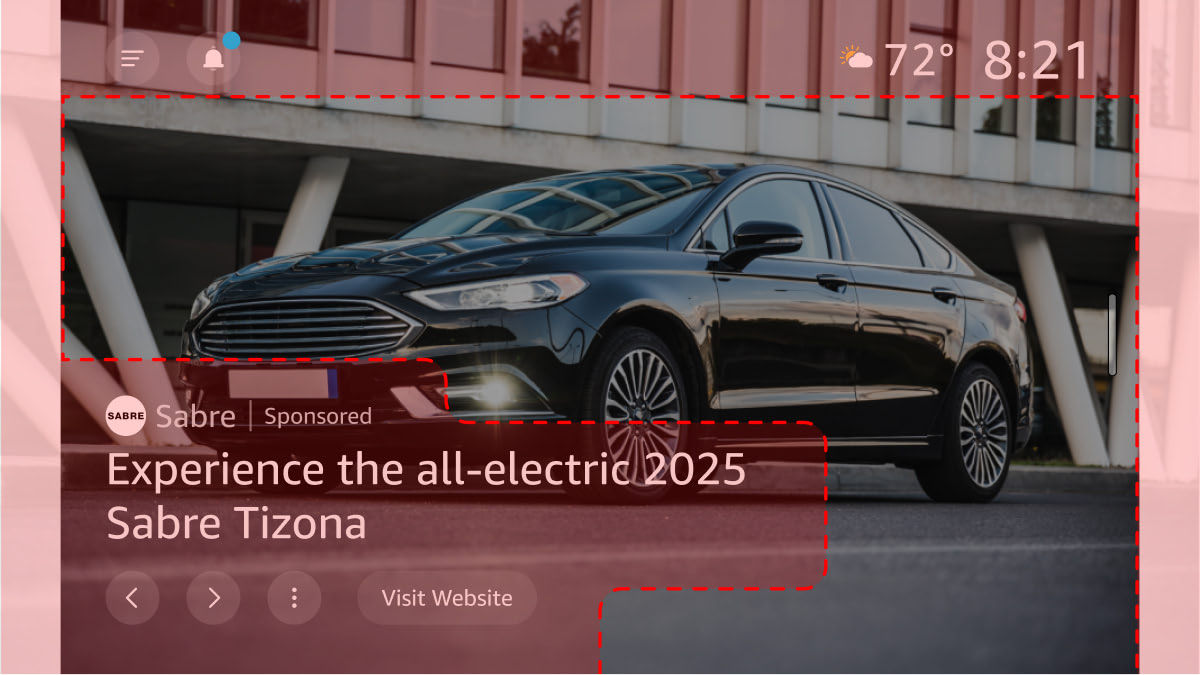
Example safe zone. Actual area covered depends on device layout, content, and customer usage.
Image cropping
You have the flexibility to submit both a square and wide image. However, should you choose not to, the uploaded image will be cropped to a square to fit some placements. When you submit your image, let us know if there is a specific way you want it cropped—for example, crop away the left side, right side, or keep it centered.

Example of a wide image cropped to the square format.
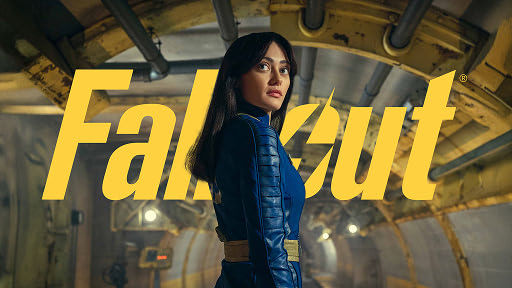
Examples of images
✔ Do:

✘ Do not:






Logo
The size of the logo must be 400x400px or larger, with a square aspect ratio and an opaque background. When the logo is shown on the Alexa Home Screen, it will be cropped to a circle:
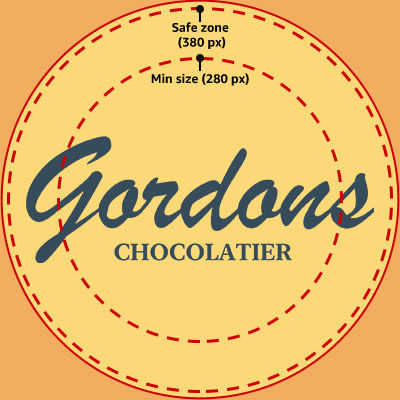
- The logo should be centered within the image.
- The image should show only the brand name, brand symbol, or a combination of the two.
- The image should not contain a tagline or any other extra text.
- The logo should include an opaque (non-transparent) background.
- The logo should occupy a width or height of 70-95% of the safe zone circle.
Headline and disclaimer
- Ad copy should be clear, direct, accurate, and understandable to the average customer.
- All ad copy (including disclosures) in Alexa Home Screen creatives must meet creative acceptance policies when applicable.
- Ad copy will be rendered natively in the Alexa device interface. Custom fonts, sizes, or stylings are not available. See creative components for a breakdown.
For entertainment content, additional guidelines apply:
- For products such as movies or TV shows, a content rating label is required for content rated for 12/13 years or older and should be added in the disclosure.
- Subscription required: If the content promoted requires an additional paid subscription beyond a Prime Video subscription, this must be made explicit in the creative by one of the following methods:
- Within the headline: “Watch with a subscription”, “Subscribe to watch”, etc.
- Within the disclaimer: “Subscription required”, “Watch with 7-day free trial” plus additional legal text “Restrictions apply”, etc.
- Rent/Buy: If the content promoted requires payment to rent/buy/purchase the piece of content, this must be made explicit in the creative.
- Within the headline or disclaimer: “Buy or Rent on Prime Video”, “Available to Rent”, “Available to Buy”, “Own it today”, “Stream with Purchase”, “Prime Member Deal”, etc.
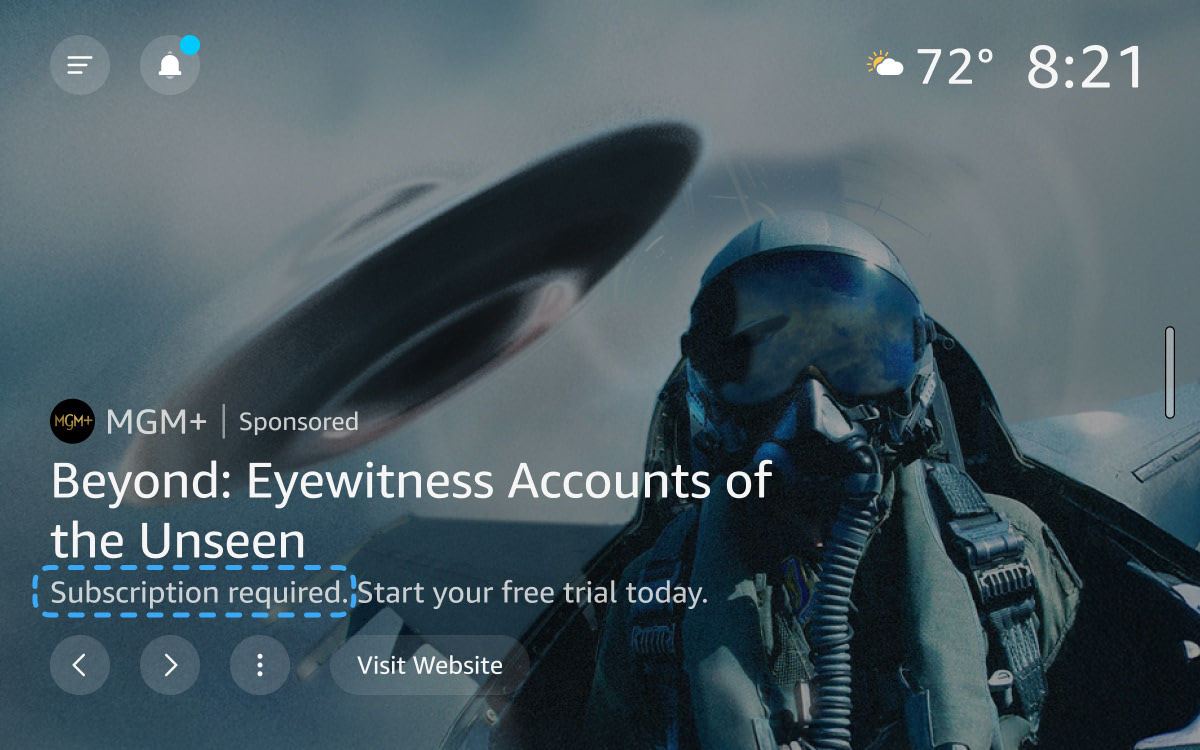
Example of an ad requiring subscription disclosure.
Video
Videos are shown full-size on screen without cropping. Depending on the video asset and the type of device, black bars will appear above and below (letterboxing) or on the sides (pillarboxing) of the video.
- Submit high-quality video with the correct resolution.
- Recommended: 60 seconds or less duration
- Use a controlled volume that is normalized, not too low or too high.
- Include a simple end slide with the provider’s logo. Slide duration should not be longer than 3 seconds.
- Include key characters or scenes from the title that will excite/delight customers.
- Make sure videos are in the primary language of the locale where the ad is shown.
- Captions will be automatically generated based on the video provided for markets where it is required, including EU.
- Avoid small text, such as subtitles that may not be readable on smaller devices.
- It is recommended to not show letterboxing in the raw video asset.
- Do not add an overlay sales-like voice-over to the video.
- Ensure the video does not contain any of the following:
- Nudity or content of a sexual nature
- Depictions of illegal activities or consumption of drugs and/or alcohol
- Weapons that are shown in a violent or threatening manner, for example covered in blood. Guns pointed at a character, directed out toward the customer, and/or shown in the act of firing (such as bullets visibly exiting the weapon or smoke shown around the barrel)
- Gore or scenes of violence, including perilous situations, such as a person falling from an extreme height
- Explicit language of a mature nature
Video specifications
Dimensions: 1920x1080px (16:9 aspect ratio)
Duration: 6s minimum to 3min max
Maximum file size: 500MB
Format: MP4, M4V, MOV, MPEG
Video Codec: H.264
Video Bitrate: 12mbps+ preferred
Audio Bitrate: at least 128kbps
Loudness Level: -24 LKFS +/- 2dB
True Peak Level: -2dB
Videos must meet all specifications. No edits will be made to the original assets.
Click-through destinations
Click-to-Video
- Call-to-action “Play Video”
- Upon interacting with the ad, the video will play full-screen on the Echo device. While the video is playing, a secondary call-to-action button “Visit Website” is available in the bottom right corner, which opens the click-through destination in the silk browser on the device. Once the video completes, customers are returned to the static ad and the content resumes rotation.
- Requires a video and a click-through URL.
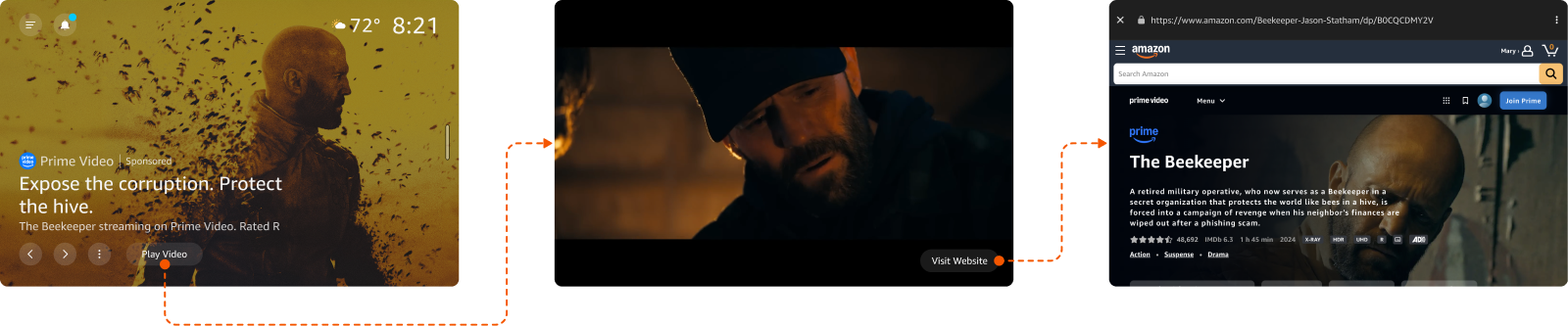
Click-to-Website (URL)
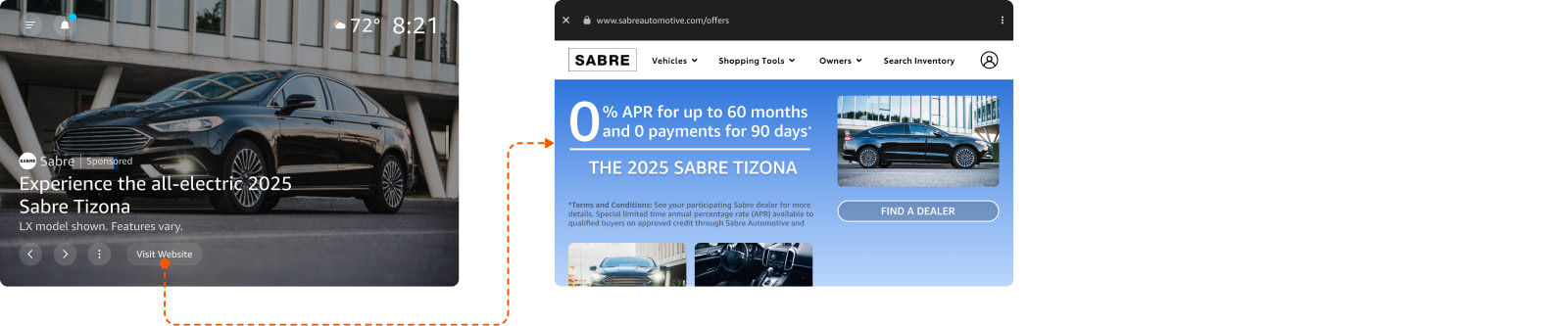
- Call-to-action “Visit Website” for customers who have Alexa+. “Show More” for customers who don’t.
- Upon interacting with the ad, the click-through destination opens in the silk browser on the device.
- Customers can tap the close button or say "Alexa, go back" to return to the static ad.
- Requires a click-through URL only.
Original Alexa
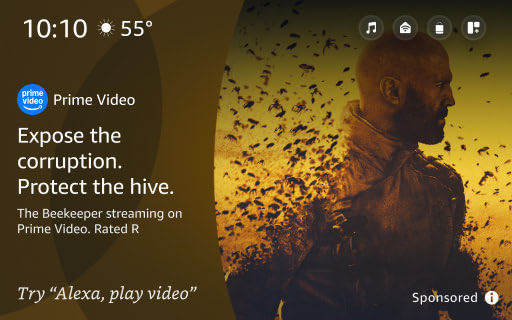
For users without Alexa+, a slightly different visual experience will be shown. The same logo, headline, and other details will be used, but a square crop of the image will be shown instead of the wide version. A geometric color background generated based on the ad image will be shown behind the text content to complement the image, and cannot be edited.
Below is a comparison of the interface on Alexa+ and the original Alexa.
Alexa+
Click-to-Video
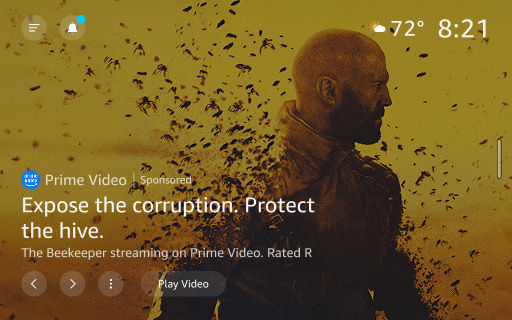
Click-to-Website
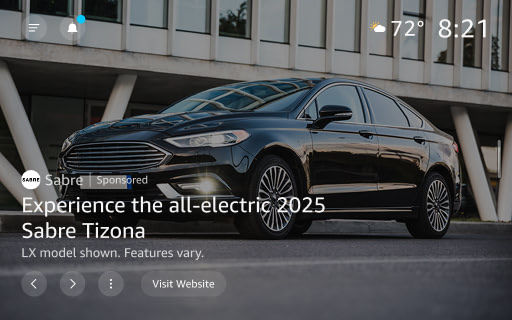
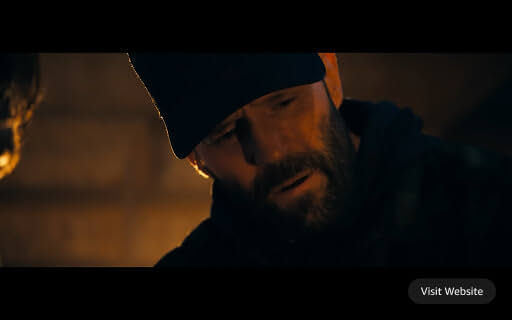
Click-through experience with on-screen CTA.
Original Alexa
Click-to-Video
Click-to-Website
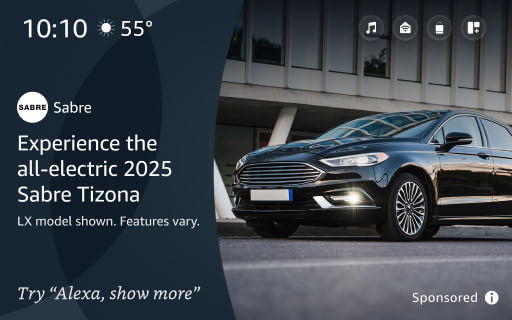
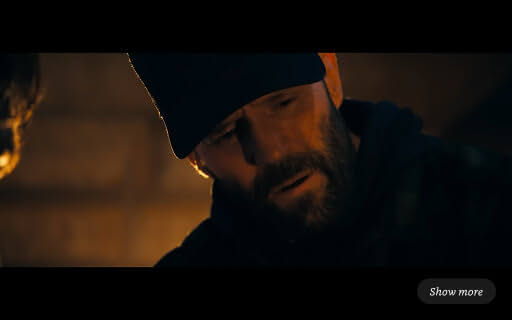
Click-through experience with on-screen CTA.
Locales
North America
- CA
- MX
- US
South America
- BR
Europe
- BE
- DE
- ES
- FR
- IT
- NL
- PL
- SE
- TR
- UK
Middle East
- EG
- KSA
- UAE
Asia Pacific
- AU
- IN
- JP
- SG
Asset Checklist
- Campaign image: 1920x1080px (required) and 1080x1080px (optional)
- Brand name and logo (400x400px)
- Ad copy: Headline (required) and disclaimer copy (optional)
- Video (if applicable)
- Content rating included in ad copy (if required)