The Video Wall Plus runs cross-screen and enables advertisers to launch highly custom video display campaigns. Video Wall Plus offers more features and customization than the standard Video Wall, including options like animations, character sections, galleries and logo morphs on desktop, in addition to a supporting static unit below the fold. Mobile web and app feature a tall video display banner above the fold, and a large custom unit below the fold.
Déclaration de confidentialité
Ne saisissez aucune donnée sensible ou personnelle dans le champ de recherche (par exemple, nom, adresse, informations bancaires).
Video Wall Plus
Demo
Desktop
Desktop - Intro Video
- On first impression, a large intro video plays without sound across the site background and resolves to the expanded state of the Video Wall Plus.
- During the intro video, users can click the primary CTA, or click to skip the intro, which resolves to the expanded state of the Video Wall.
Desktop - Expanded State
- Includes the main trailer video, title treatment or logo, date messaging, character art, main CTA and other custom elements.
- Users can engage with custom elements, which will trigger changes to the creative that can be explored by the user.
- The intro video will auto-play without sound within the video frame. If a user clicks on the video, it will play the full-length video with sound.
- Users can click the “collapse” button to switch to the collapse state of the ad.
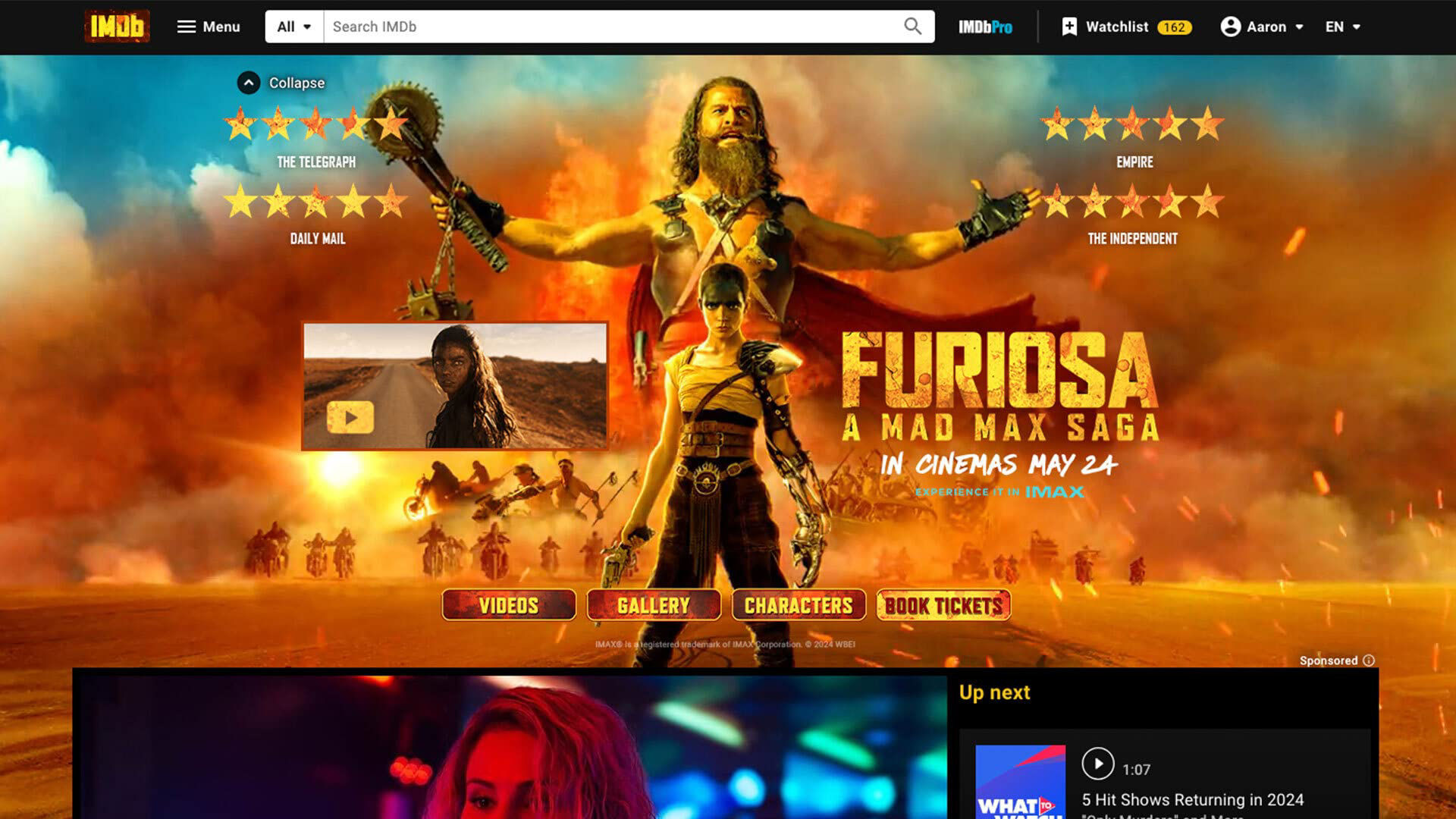
Desktop - Expanded State
Desktop - Collapsed State
- On subsequent impressions, the ad will render in the collapsed state that can be expanded by the user. Creative elements can be rearranged to better fit the space.
- There are no videos or custom elements in the collapsed state.
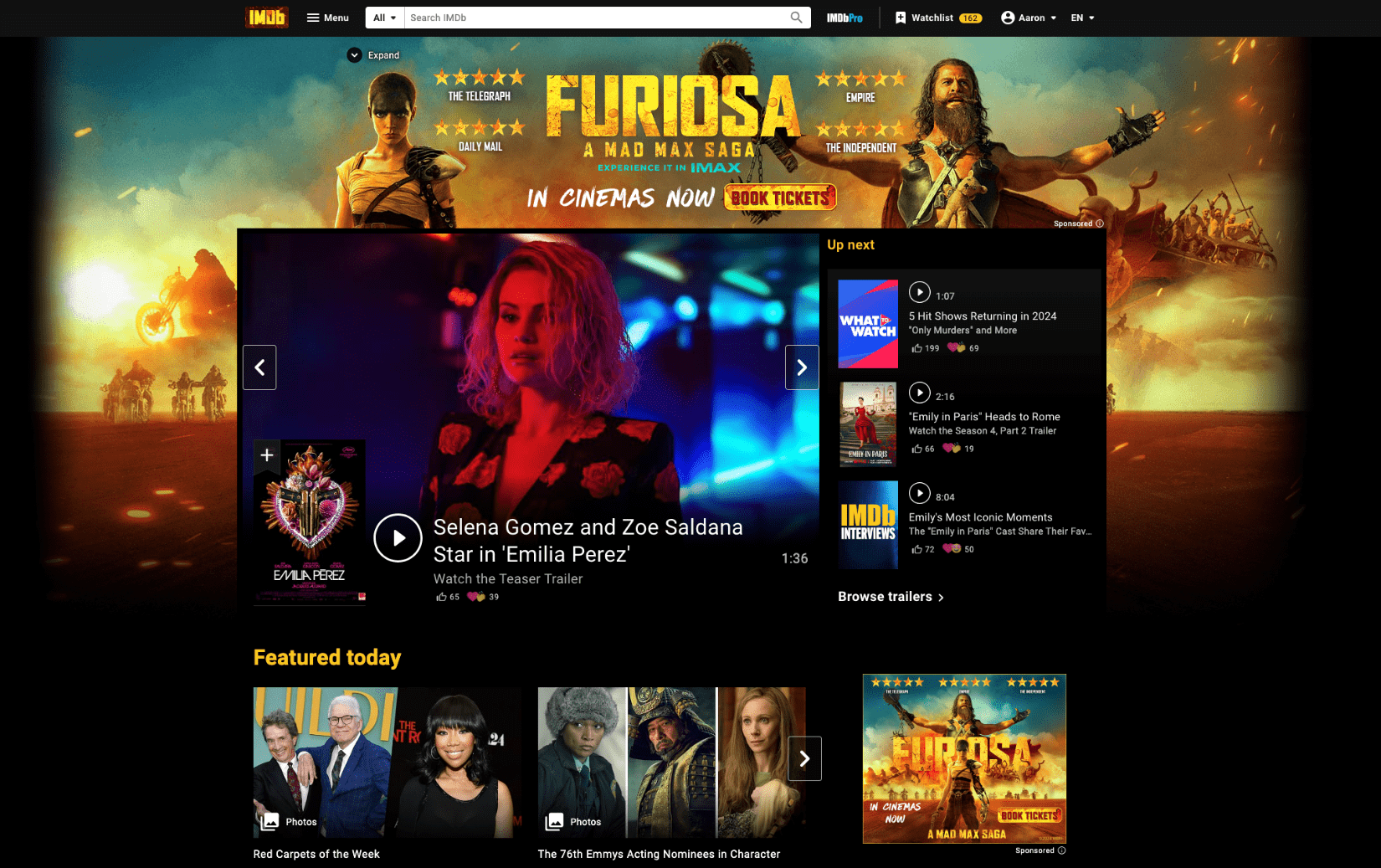
Desktop - Collapsed State
Desktop - Below the Fold
- Static 300x250
Custom IMDb Logo Morph - Desktop
With Video Wall Plus, advertisers can customize the IMDb trademark logo to fit a movie or TV show’s IP style. Upon initial load and on hover, the logo will morph to the custom logo for 5-10 sec, and then morph back to the standard logo. Custom logo morphs for Video Walls require approval on a case-by-case basis. We encourage all interested advertising parties to review our logo and trademark usage guidelines and to seek our permission before using any of our logos or trademarks in any capacity.
IMDb Logo Morph
Mobile/Apps
Mobile - Tall Banner
- Lives at the top of IMDb on mobile web, iOS, and Android pages.
- The 6 second video will auto-play without sound.
- Tapping the video will launch the full-length video in the full-screen player.
- Tapping anywhere on the banner outside of the video frame clicks through to the CTA.
- On all pages*, the top banner will stick if the user immediately scrolls down the page.
- *Top banner does not stick on app homepage.
Mobile - Secondary Banner
- Lives below the fold on IMDb on mobile web, iOS, and Android pages.
- Design and function varies based on assets provided and advertiser KPIs. This unit can feature video and/or other custom elements, such as character galleries, and always includes a primary CTA.
- Tapping the video (if present) will launch the full-length video in the full-screen player.
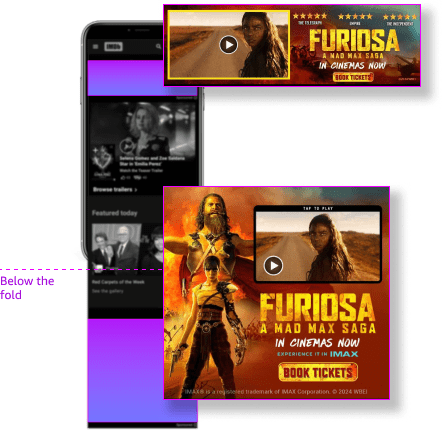
Mobile/Apps – Below the fold
Tablet App Banner
- Lives above the fold on IMDb iOS tablet app pages.
- Static banner with single CTA.
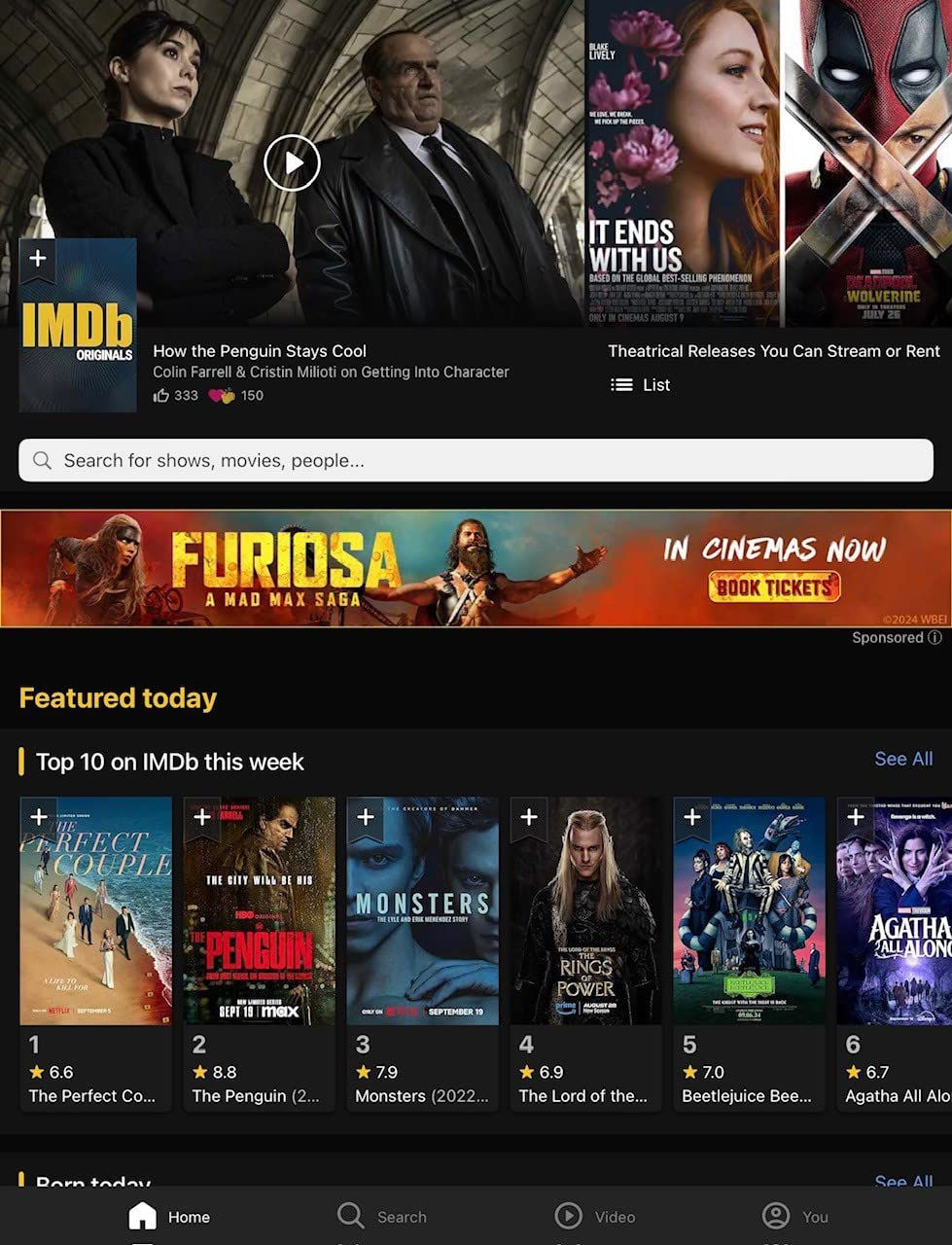
Tablet App
Délais de production
Les délais de production publicitaire IMDb tiennent compte du nombre de jours ouvrés nécessaires pour produire un format publicitaire et le mettre en ligne. Veuillez noter que ces délais n'incluent pas :
- Le temps supplémentaire nécessaire si des modules complémentaires sont inclus.
- Les autres phases de la configuration de la campagne, telles que les approbations des ordres d'insertion (IO) et la réservation.
Les délais de production
- 20 jours ouvrés
- Les accords sur le niveau de service débutent dès lors que tous les éléments de conception sont reçus et approuvés.
Éléments livrables
La production ne commencera pas tant que l'ensemble des éléments n'aura pas été livré.
Diffusion : First-party uniquement
- Fichier vidéo (bande-annonce complète)
- 1920 x 1080 px (16:9)
- Format .mp4 uniquement (nous ne prenons pas en charge le format ProRes)
- Durée maximale : 5 minutes
- Taille maximale du fichier : 50 Mo
- Fichier vidéo (vidéo d'introduction de 6 secondes pour ordinateur)
- 1920 x 1080
- Format .mp4 uniquement (nous ne prenons pas en charge le format ProRes)
- Durée maximale : 6 à 30 s
- Taille maximale du fichier : 1 Mo
- Bannière supérieure pour ordinateur
- Format .jpg et fichier .psd
- Voir les dimensions dans le modèle PSD
- Bannière haute pour appareil mobile
- 320 x 100 (640 x 200)
- Format .jpg et fichier .psd
- Bannière secondaire pour appareil mobile
- 320 x 300 (640 x 600)
- Format .jpg et fichier .psd
- Bannières statiques
- 300 x 250 px (600 x 500 px) 50 Ko
- 728 x 90 (1456 x 180) 40 Ko
- Format .jpg et fichier .psd