Prime Video’s Profile Page is a full-screen placement on third-party Connected TVs, available to TVOD and Channel advertisers, that supports multiple pieces of content in its carousel. A minimum of 40% of the Profile Page’s share of voice will be dedicated to advertisers, allowing them to highlight significant hub content in a highly visible placement.
Privacy Statement
Do not enter any sensitive or personal data into the search field (e.g. name, address, financial information).
Prime Video Profile Page
Experience overview
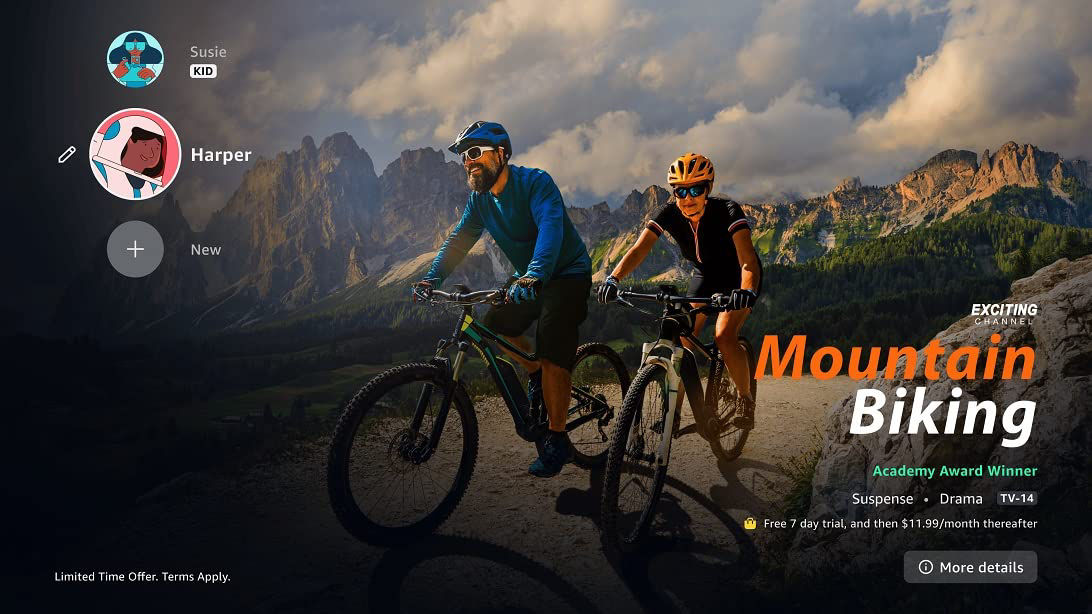
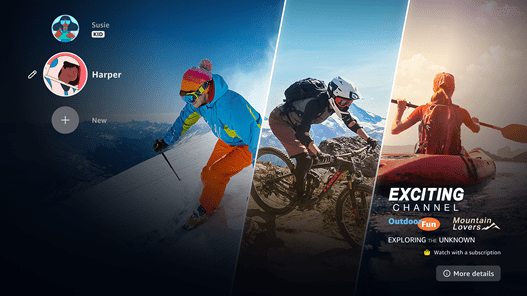
When a customer opens the Prime Video app on third-party Connected TVs, they begin with the Profile Selection screen. This screen acts as a prominent advertising space, occupying the full screen with visuals that oscillate from left to right and vice versa in a recurring pattern for each advertisement slot. Profile page ads will auto-rotate through a carousel of content slots every eight seconds. After all the slots have cycled through once, the sequence resets and pauses at the initial slot. As a customer moves through different adult profiles, they view a continuation of the auto-rotating slots.
A customer can use the right button on their remote to navigate from their profile to the slot’s “More details” call to action. Once focused on this button, the auto-rotation to the next recommendation and the background motion stops to allow the customer adequate time to review the associated metadata and to make their selection.
When the customer selects “More details”, they are taken to the ad’s detail page or collection page for more info.
Asset requirements overview
The Profile Page requires two unique creative assets for Connected TV - the background and title art. See Connected TV specifications for specific details.
| Device Type | Component |
|---|---|
| Connected TV | Background image |
| Connected TV | Title art |
Creative guidelines
In order to provide a good customer experience, we require that all assets meet the following guidelines and Amazon Ads Guidelines and Acceptance Policies.
Asset specifications
| Device Type | Image component | Raw asset requirement | Final file requirement |
|---|---|---|---|
| Connected TV | Background image | Dimension: 3840 x 2160px or bigger Format: PSD (High-quality and layered), AI, EPS or SVG |
Dimension: 3840 x 2160px Max file weight: 10MB Format: JPG (baseline) |
| Connected TV | Title Art | Dimension: 1000 x 400px or bigger Format: PSD (High-quality and layered), AI, EPS or SVG |
Dimension: 1000 x 400 max. The title art must have at least a 1000px width or a 400px height. Max file weight: 10MB Format: PNG |
CTA and Entitlement Offer Clarity (EOC) string
Advertising copy such as offer messaging or calls-to-action are not needed as these will be automatically populated by Prime Video, using a set of pre-defined strings that match customer entitlement and the ad offer. These predefined strings can’t be altered.
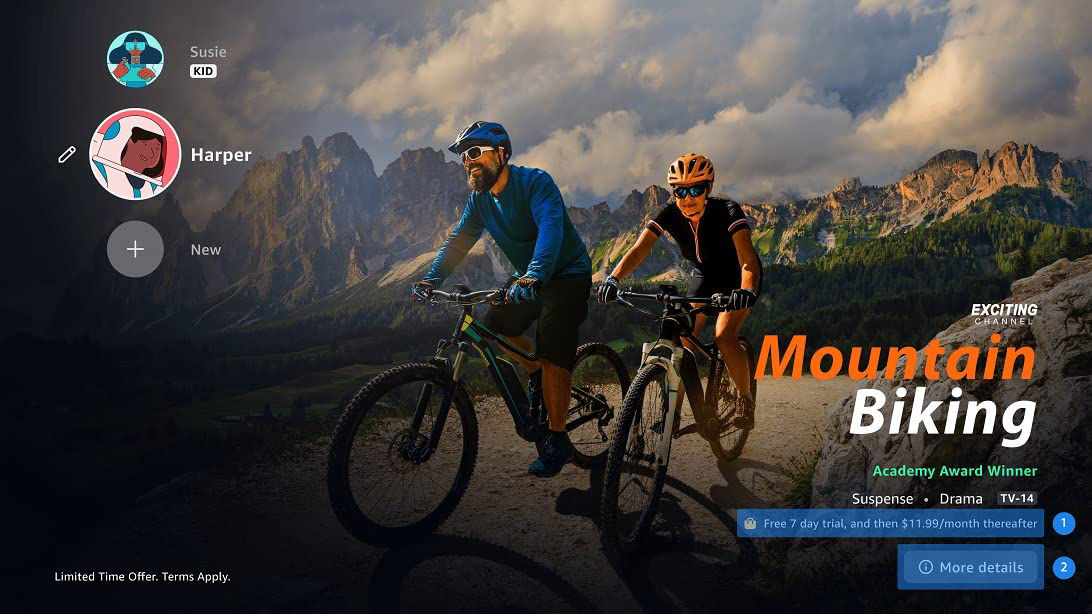
- Entitlement Offer Clarity (EOC) string
- Call-to-action (CTA)
Background Images
Background image refers to the 3840 x 2160px image asset that gives a visual representation of the ad product.
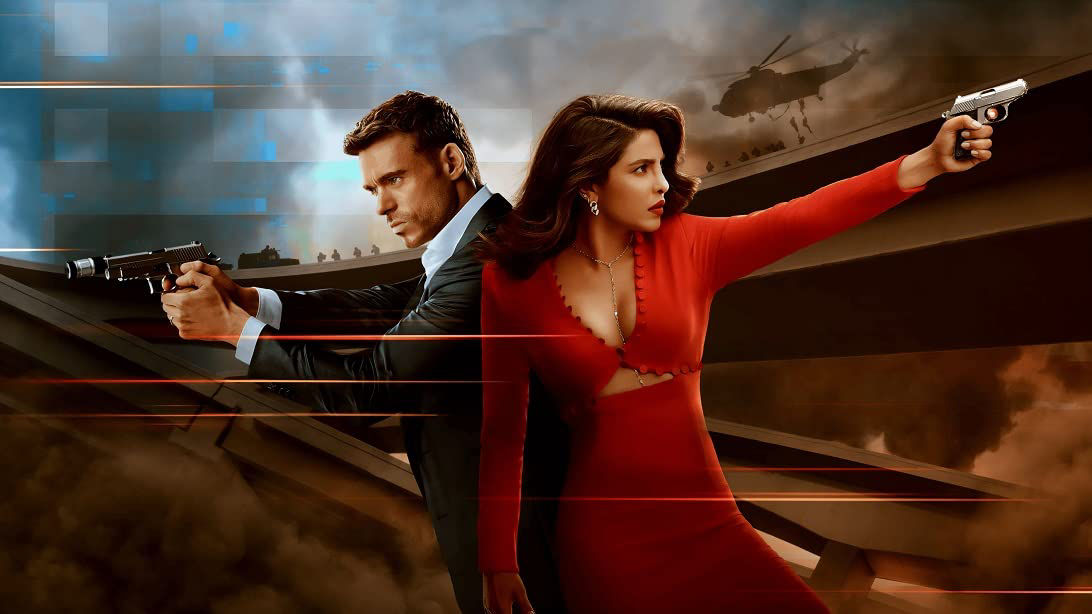
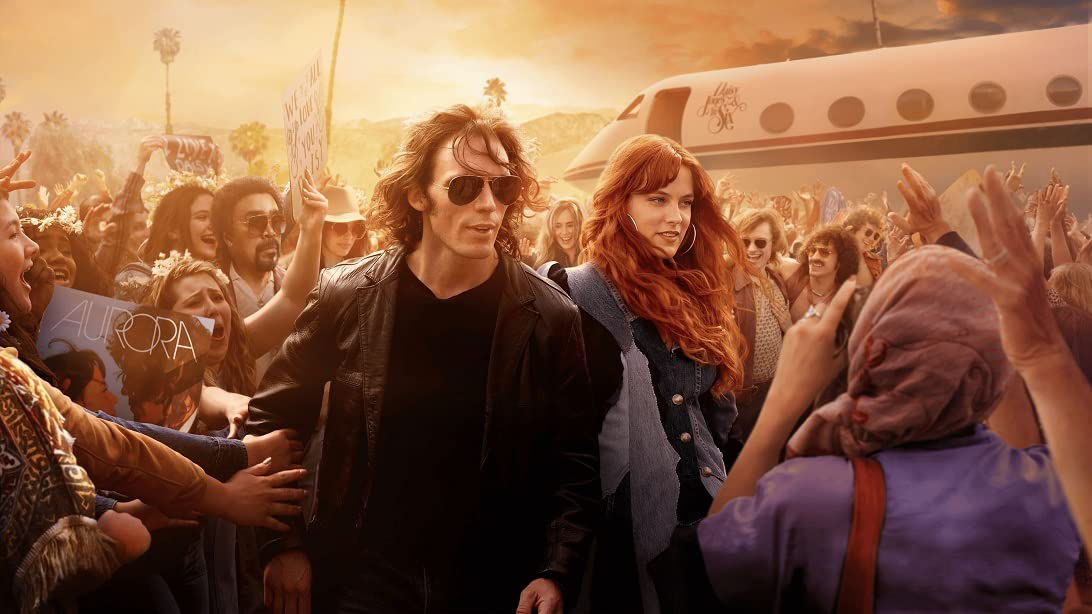
Requirements:
Dimensions: 3840 x 2160px or larger
Aspect ratio: 16:9
Format: JPEG (RGB color)
Maximum file size: 10MB
Safe Zone
Make sure the essential elements of the image are within the green safe area. Essential elements, like faces of key characters, that falls outside of the safe area may be covered by navigation UI or logo content. The yellow area allows for some forgiveness in character details. Burned in legal disclaimers, if required, will be placed in the blue area. Please note that burned in legal disclaimers are discouraged and should be the last resort. Dynamic legal disclaimer should be the first resort.

High resolution image
Use the highest resolution that meets the ratio requirement. Upscaled images that are blurry will not be accepted. The minimum acceptable size for background image is 3840 x 2160px.
Full-bleed image
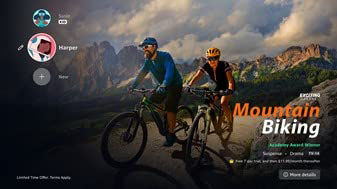
The background image must use full-bleed imagery. To make the profile selection visible in the left area and the title art and associated metadata readable in the right area on the background, it may fade out to a solid color or apply a gradient on the sides.
✔ Approved
✘ Not approved
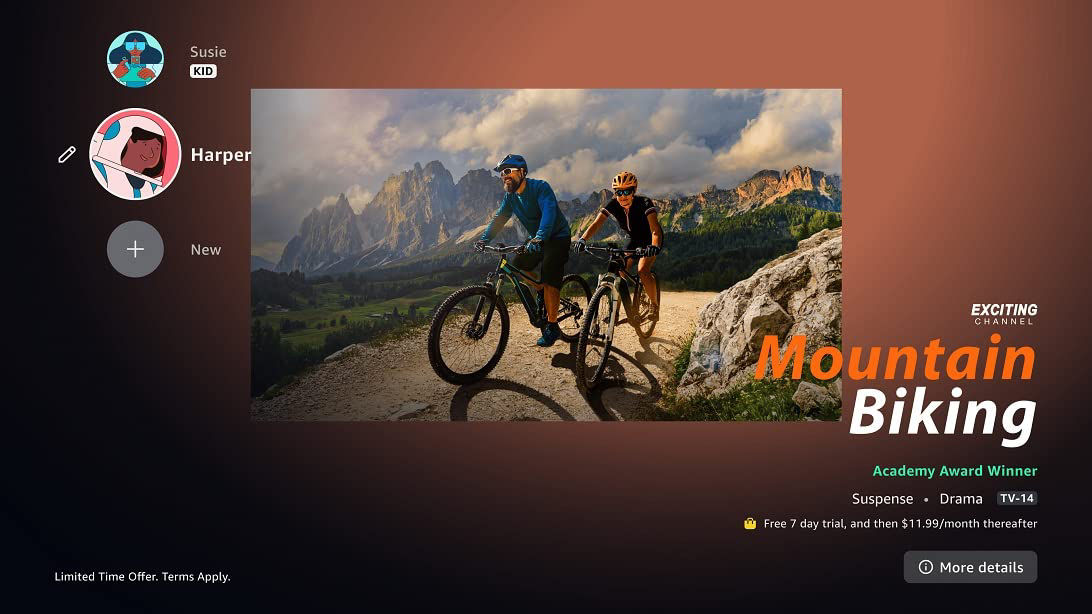
Image content
Avoid images that depict drug usage, alcohol, or nudity. Images that are sexually explicit or depict violence or illegal activity are not acceptable.
Embedded logos or titles
With the exception of any required legal disclaimer text, don’t add text or logos to the background image.
Channel logo
For single title ads, channel provider logo will populate automatically based on the ASIN selected. TVOD ads will not feature dynamic channel logos, whereas Channel Ads will display the channel provider logo based on the ASIN selected.
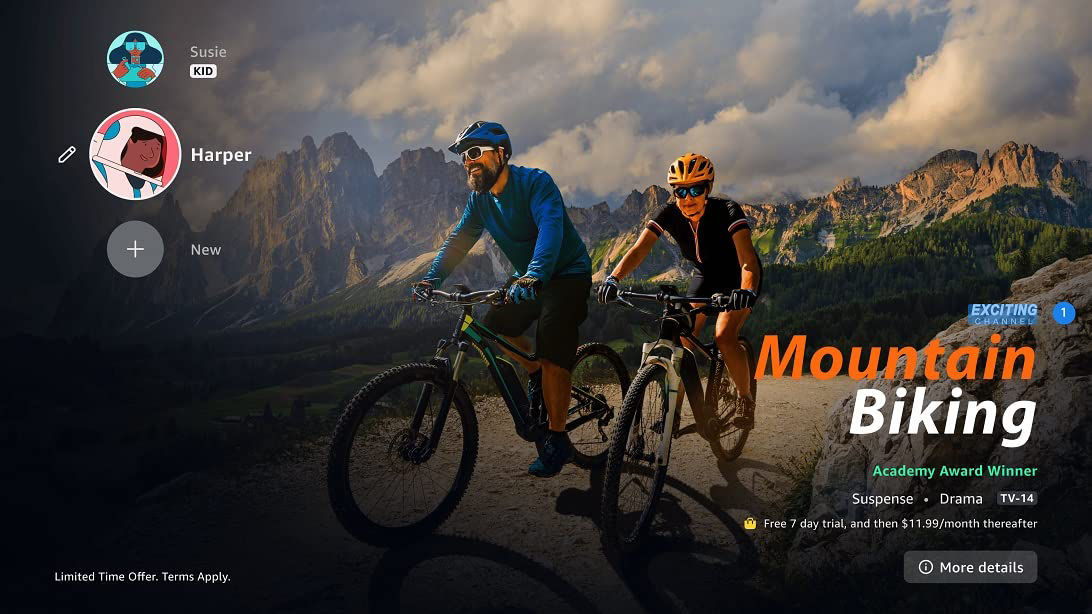
- Automated channel logo
Title art
Title art is a creative asset that appears on top of a background image. Depending on the type of Profile Page creative, a title art can represent a content title, a Prime Video Channel, or a content collection that is available from a Prime Video Channel.
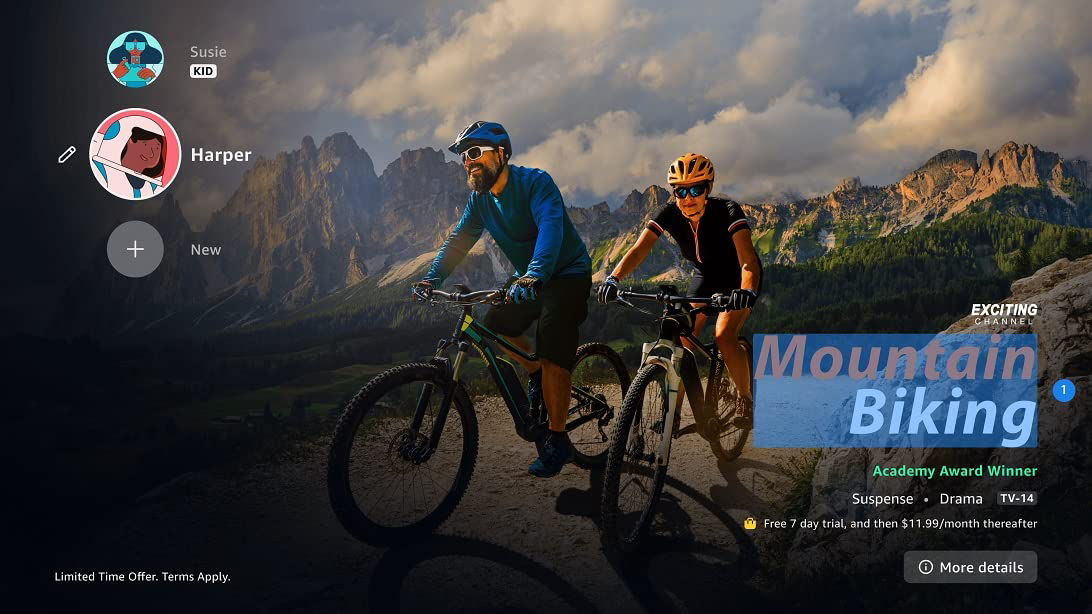
Requirements:
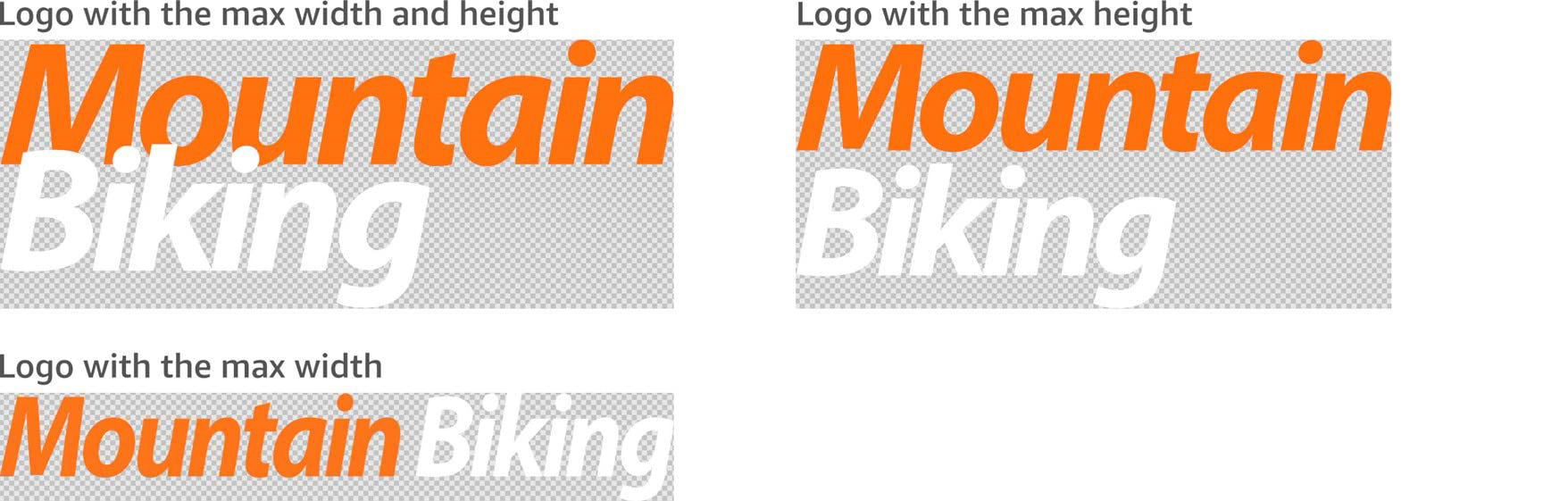
Dimensions: 1000 x 400px max. The title art must have at least a 1000px width or a 400px height.
Format: 24-bit PNG with transparent background (RGB color)
Maximum file size: 1MB
Dimensions:
Build a title art to fill the max width or max height of a 1000 x 400px canvas, and crop empty space. The following title art examples are all accepted:
Title art elements:

| # | Components | Examples | Font sizes* |
|---|---|---|---|
| 1 | Primary logo | Single title ads: Content title logo (e.g. Mountain Biking) Multi-title ads: Channel logo (e.g. Exciting) |
Minimum font size: 50pt Recommended font size: 120 pt or larger |
| 2 | Additional text or additional logo (Not recommended) | Brand slogan/tagline Talent names (e.g. Author or actor names) Studio logo (e.g. Marvel) Franchise logo (e.g. Star Trek) Original branding (e.g. Showtime Original) |
Minimum font size: 50pt |
* Logo font size requirements are based on a 1000 x 400px canvas with Arial regular (or equivalent) font.
Composition
- For best visual results, only place one logo in the title art. For campaigns promoting a single content title, use the content title logo as the title art. For campaigns promoting a prime video channel or a collection of content from the same channel, only use the channel logo as the title art, additional text or additional logo are not allowed.
✔ Preferred

Why? The title art doesn’t contain any added text or logos.
- Additional text and logos are not recommended. If they must be included, follow these rules:
- All logos and text in the title art must meet minimum font size requirements.
- Visual priority must be clear. For example, if the creative is promoting a content title, then the content title logo should have the highest visual priority. Visual priority can also be given to text that describes a content collection or theme, depending on what campaign needs to be promoted.
- To maintain a clear visual hierarchy, try to keep the total lines of title arts within 4 lines. Title arts exceeding 4 lines lose contrast between font sizes, resulting in similar font sizes for logo elements, leading to unclear visual hierarchy.
- Align logo elements purposefully to create an order that guides viewer eyes to read through the title art in a natural way (e.g. guiding viewers to read the text and logos from left to right or from top to bottom.)
- Including CTAs in title art is not allowed. Additional text must not repeat or contradict the auto-populated offer messaging or CTA. (E.g. “7-day free trial”, “$9.99/month”, “Buy now”, “Start watching” and so on.)
✔ Approved
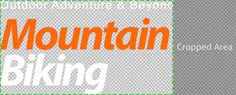
Why? Additional text above the content title logo doesn’t repeat or contradict the auto-populated offer messaging or CTA. It also meets font size requirements.
✘ Not approved

Why? The additional text “Available to buy or rent” repeats the auto-populated offer messaging.
✔ Approved
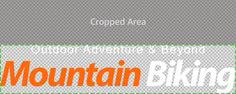
Why? The visual hierarchy is clear (Mountain Biking logo appears). Additional text meet font size requirements.
✘ Not approved

Why? Text and logo font sizes are very similar, causing an unclear visual hierarchy in this title art.
✔ Approved

Why? The center alignment of the “Outdoor series” additional logo and the content title logo “Mountain Biking Cross Country Racing”, guides viewers to read from left to right. The additional logo meet font size requirements.
✘ Not approved
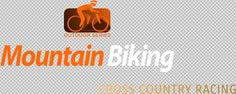
Why? Without a purposeful alignment, the randomly placed logos create an unbalanced look that requires viewer eyes to jump between each element in this title art, creating a jarring visual experience for viewers.
Trademark:
A trademark symbol on the logo is strongly discouraged and will be removed by default.
Logo accessibility:
Logos need to work against a dark background. A minimum of 3:1 contrast ratio is required.
Orientation:
Title treatments are built left to right.
Click-through destinations
Single title campaigns must link to a detail page.
Genres
For single title ads, up to two genres will populate automatically based on the ASIN. There are also instances where an ASIN has a single genre or no genres associated with it. If a campaign is running a multi-title creative, genres are not required.
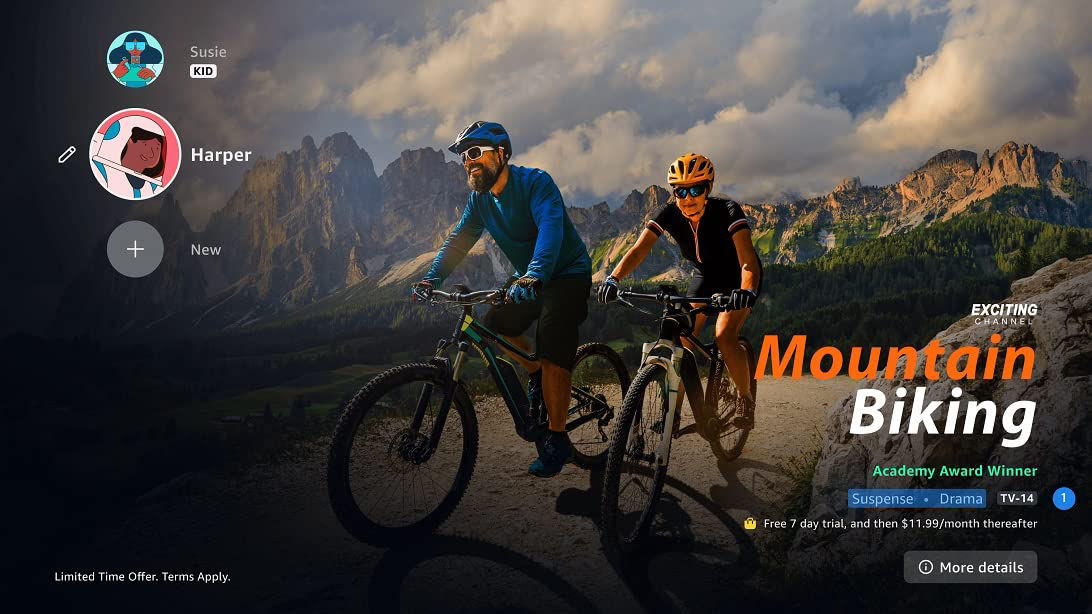
- Automated genres (max: 2; min: 0)
Content rating labels
For single title ads, maturity rating logos will populate automatically based on the ASIN selected when the title is rated for audiences that are at least 12/13 years old. If a campaign is running multi-title creative, content rating labels are not required.
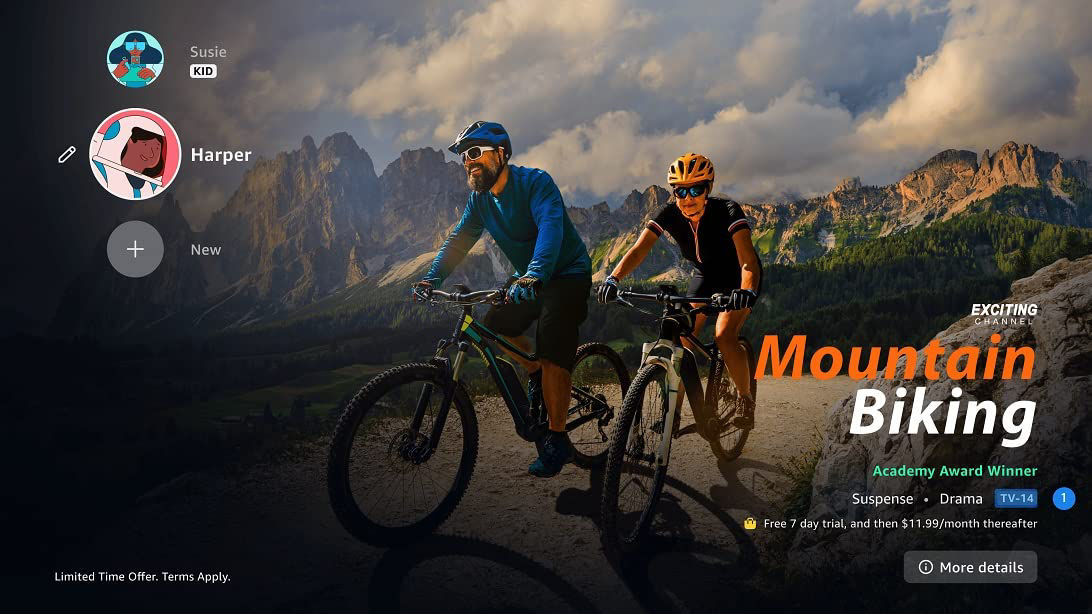
- Automated content rating label
Legal/disclaimer text
Dynamic legal disclaimer
For single title ads, legal disclaimer “Limited Time Offer. Terms Apply” will be automatically populated by Prime Video.
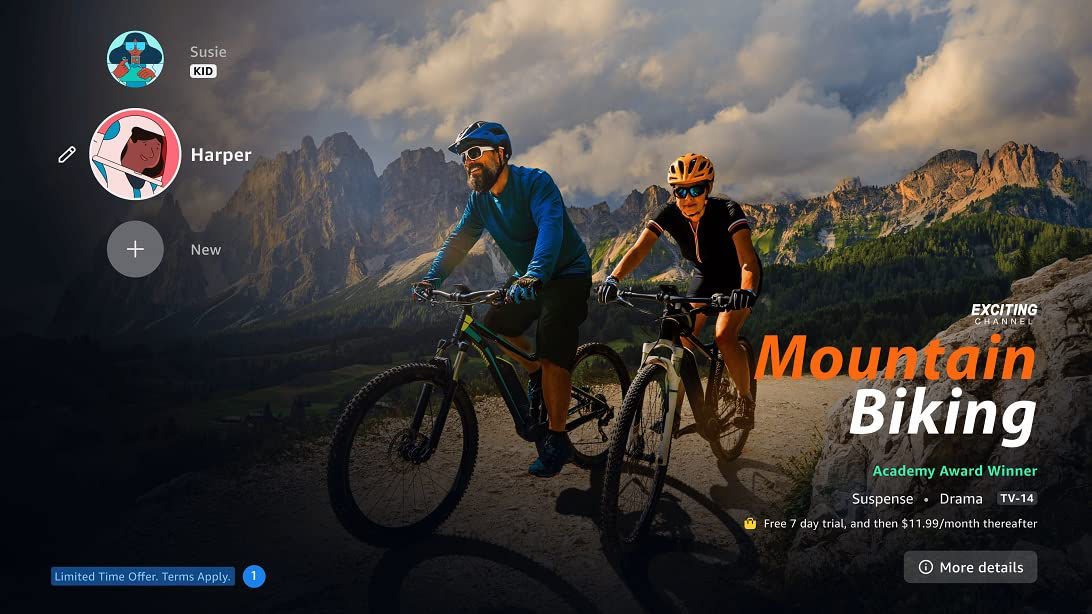
- Automated legal/disclaimer text
“Burned in” legal disclaimer safe zone (blue)
Please note that burned in legal disclaimers are discouraged and should be the last resort. Dynamic legal disclaimer should be the first resort. If burned in legal text is absolutely required by the advertiser, they should be placed in the blue safe zone, top and right aligned with the safe zone. Text should be white or black (apply opacity if needed), set in 40pt Arial regular (or equivalent font), and placed unobtrusively in the background image. Make sure a minimum of 3:1 contrast ratio is met.
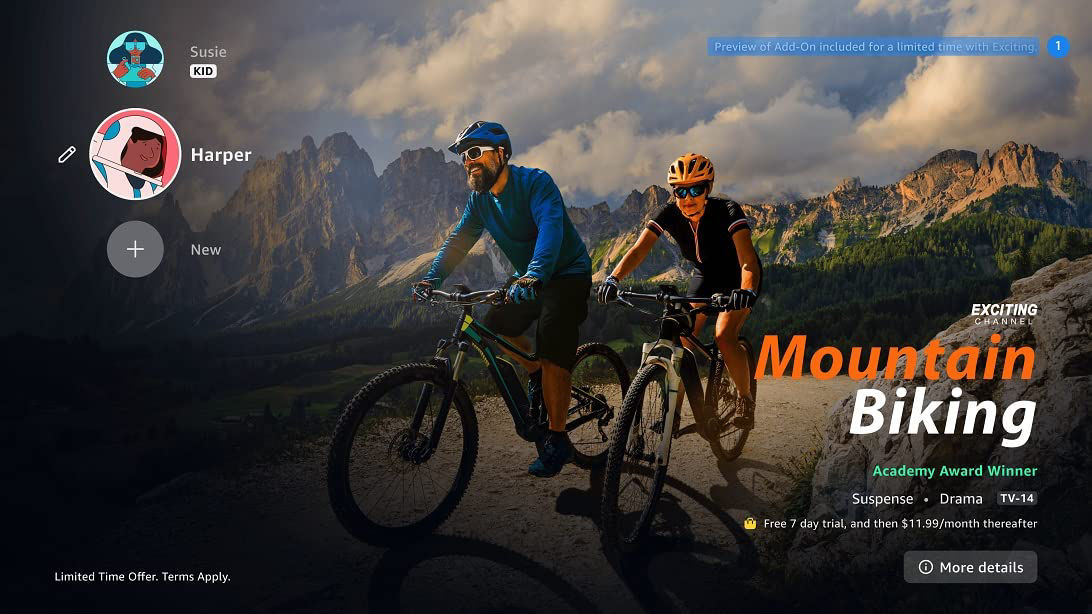
Use of unnecessary text, including legal “fine print”, copyright statements, legal symbols or Terms and Conditions is strongly discouraged. Our strong recommendation is to provide full terms and conditions or disclaimer copy on the landing page.
Multi-title creative
Multi-title creatives are only available to Prime Video Channel advertisers. A multi-title creative should promote:
- A Prime Video Channel (e.g. Exciting).
- A movie series* (e.g. Mountain Biking 1 and Mountain Biking 2).
- A collection of content titles (e.g. “Popular movies and TV shows”).
*If a creative is promoting multiple seasons of a TV series, it will count as a single title creative and should follow general creative guidelines.
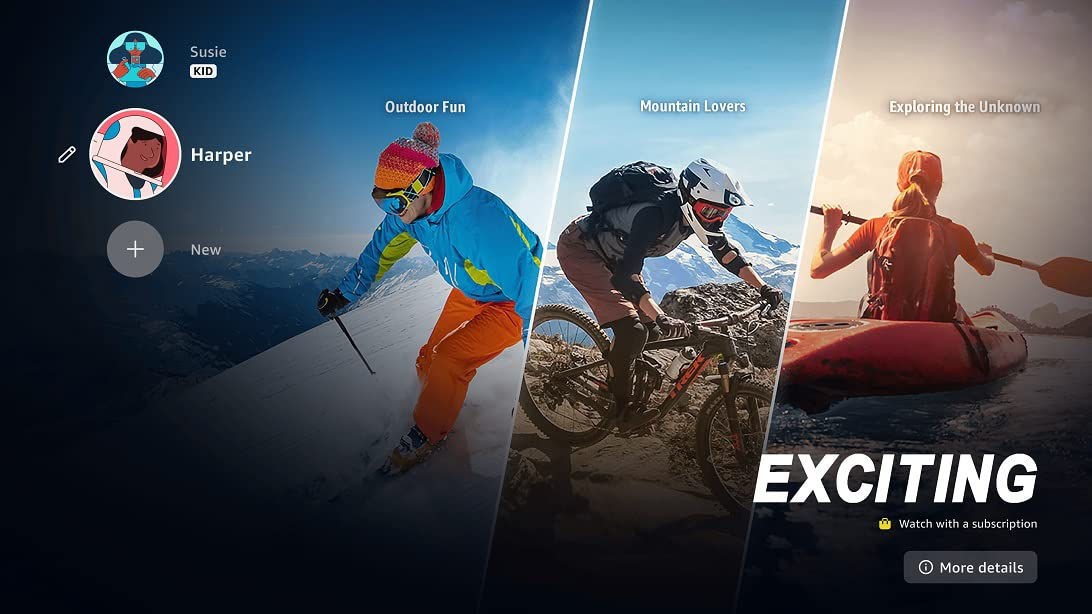
Multi-title creatives should adhere to the following guidelines in addition to general creative guidelines for Prime Video Profile Page.
CTA and Entitlement Offer Clarity (EOC) string
Advertising copy such as offer messaging or calls-to-action are not needed as these will be automatically populated by Prime Video, using a set of pre-defined strings that match customer entitlement and the ad offer. These predefined strings can’t be altered.
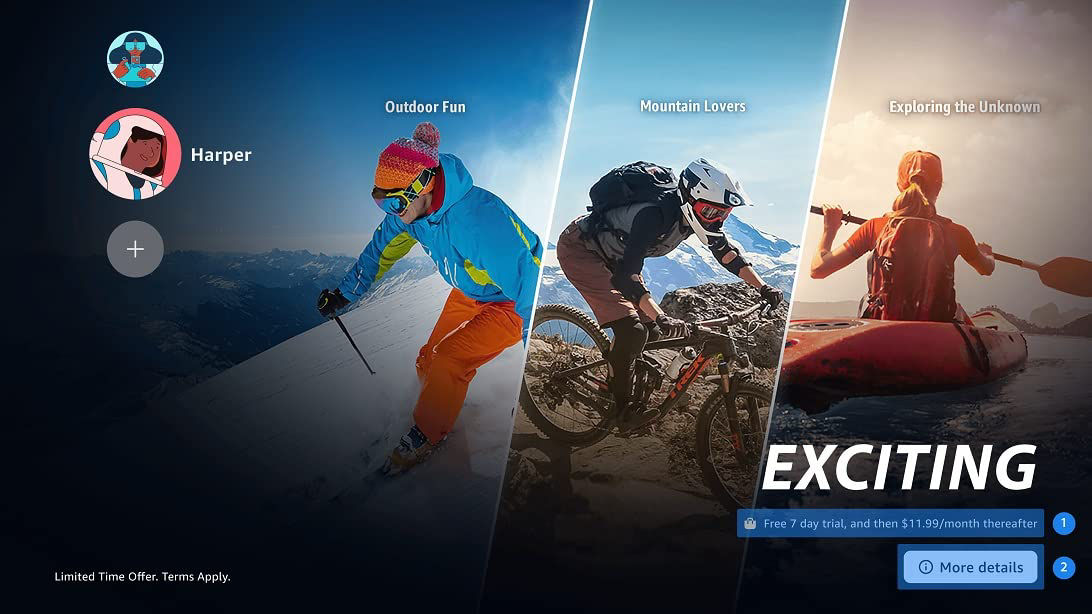
- Entitlement Offer Clarity (EOC) string
- Call-to-action (CTA)
Title art
For campaigns promoting a Prime Video channel or a collection of content from the same channel, the channel logo should be the only element in the title art, additional text or additional logo are not allowed.
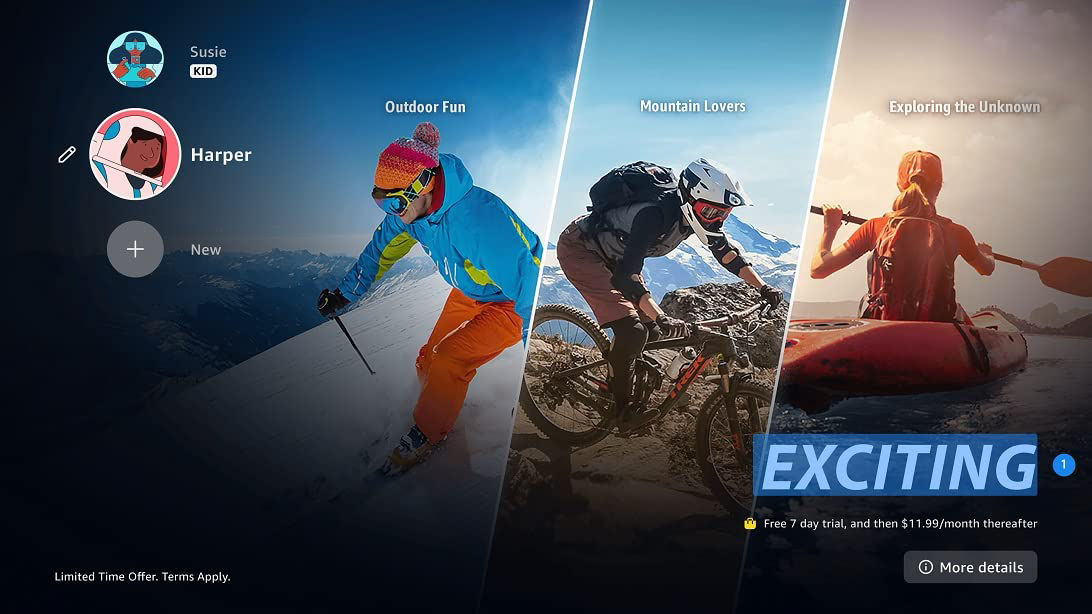
- Automated channel logo in the title art
Click-through destination
Multi-title campaigns must link to a Prime Video Channels page.
Genres
Genres are not required on multi-title ads in any country.
Content rating labels
Content rating labels are not required on multi-title ads in any country.
Dynamic legal disclaimer
For multi-title ads, the legal disclaimer "Limited Time Offer. Terms Apply" will be auto-populated for any price promotion.
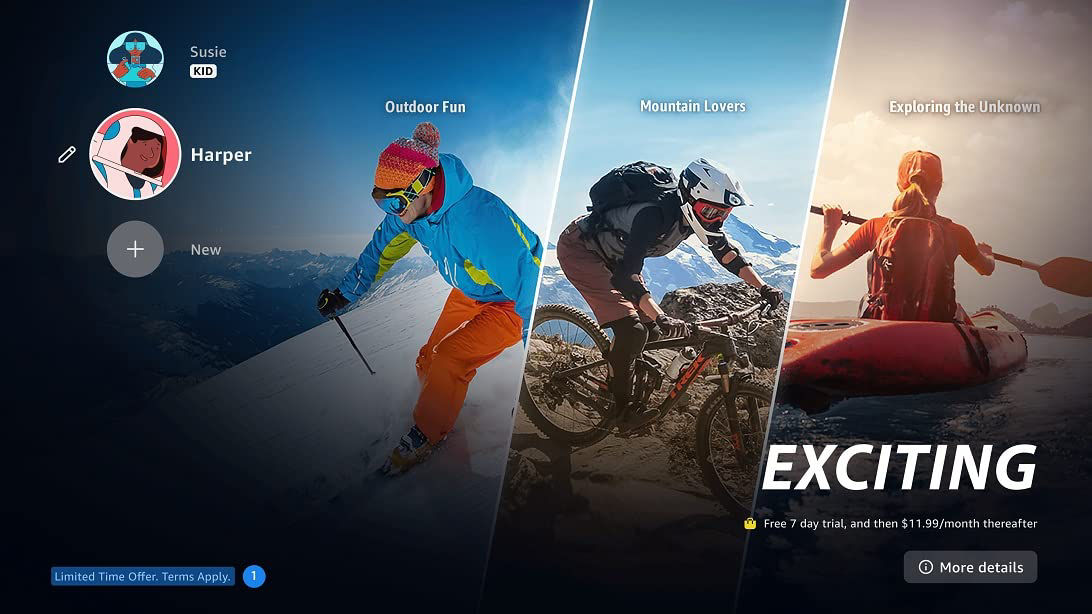
- Automated legal/disclaimer text
“Burned in” legal disclaimer
For any other promotions, if legal disclaimer is required, place the text in the background image safe zone.
Channel forward
A channel-forward creative showcases a Prime Video Channel’s breadth and depth of service.
- Background image: There is no limit to the number of titles featured on the background image, however box art tiles must be large enough to distinguish characters and titles. The titles of movies/shows within box art must be a minimum 48pt Arial regular (or equivalent font). Other text (e.g. Showtime Original) can be smaller. (Font size is based on a 3840 x 2160px canvas.)
- Title art:
- Follow general title art guidelines.
- Channel-forward creatives should only feature advertiser channel logos.
- Channel-forward creatives shouldn’t show content title logo in the title art.
✔ Approved
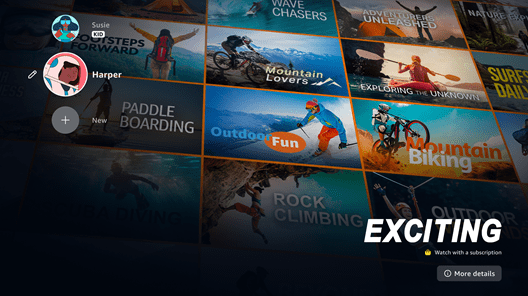
Why? The box art tiles in the background looks like a full bleed image that isn’t mimicking the Prime Video app UI.
✘ Not approved
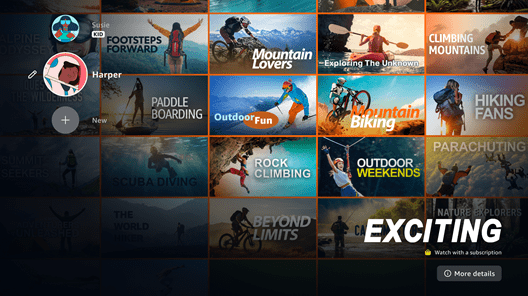
Why? Box art tiles must not mimic the Prime Video app UI nor appear as a row of clickable tiles.
Content forward
A content-forward creative showcases up to three content titles from a Prime Video Channel.
- Background image:
- A maximum of 3 content titles are allowed. The background image can have one key art that is representing a common character from a series of movies, or have 2 or 3 different key arts with each of them representing a different content title.
- Content title names placed on the background must be in either text or logo format, a minimum font size of 48pt Arial regular (or equivalent). (Font size is based on a 3840 x 1260px canvas.)
- Each content title name should be close to the corresponding title key art.
- Content titles names or logos must be placed in the green safe zone of the background image.
- Title art:
- Follow general title art guidelines.
- Place one channel logo in the title art; place content title names in the background image safe zone.
✔ Approved
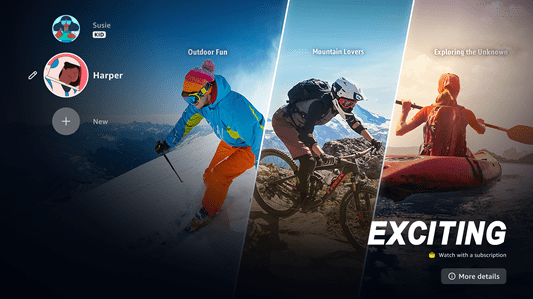
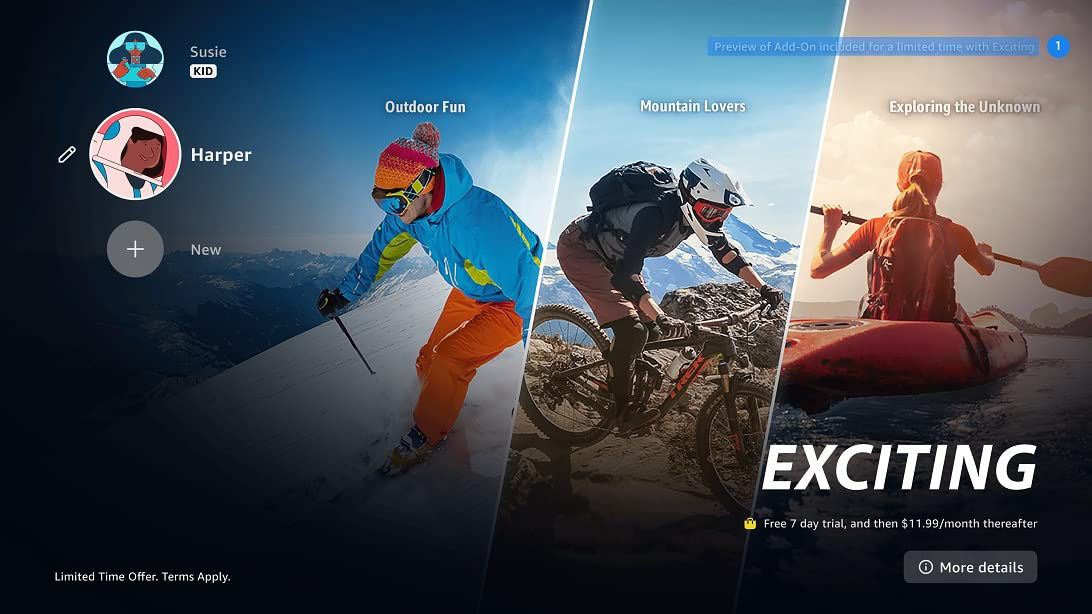
Why? The content title names are placed in the background image with the corresponding content images. The font size of the content title names meets the requirement so it’s easy for customers to understand what content they can watch in this channel.
✘ Not approved
Why? Including multiple content title logos in the title art is not allowed. It’s difficult to associate the logos with the correct key arts, and this also crowds the title art, creating a cluttered visual experience
Content acceptability
All the content should meet the following content policy and guidelines:
- Prime Video Direct Content Policy Guidelines
- Amazon Ads Guidelines and Acceptance Policies
Disclaimer: Sponsored Channels title name “Mydish”, “Exciting”, “Channel Fun+”, and “Cookful” are example names for ad specs only, and are not available on Prime Video.
Locales
North America
- CA
- MX
- US
South America
- BR
Europe
- BE
- DE
- ES
- FR
- IT
- NL
- PL
- SE
- UK
Middle East
- EG
- KSA
- UAE
Asia Pacific
- AU
- IN
- JP
- SG